12 KiB
Soroban Flashcard Generator
A vector-based PDF flashcard generator for learning soroban (Japanese abacus) numbers. Creates double-sided flashcards with soroban bead representations on the front and Arabic numerals on the back.
Examples
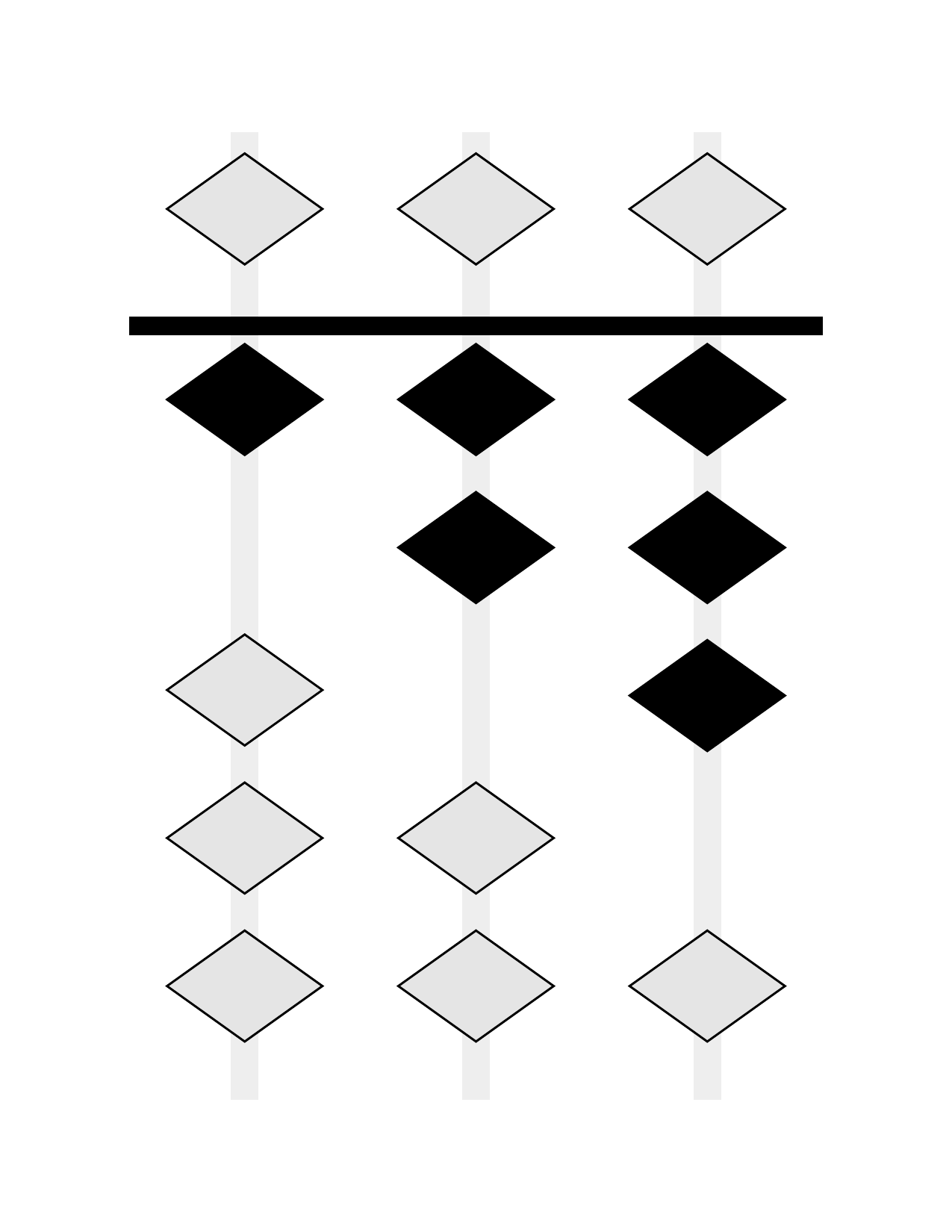 Soroban (Front) |
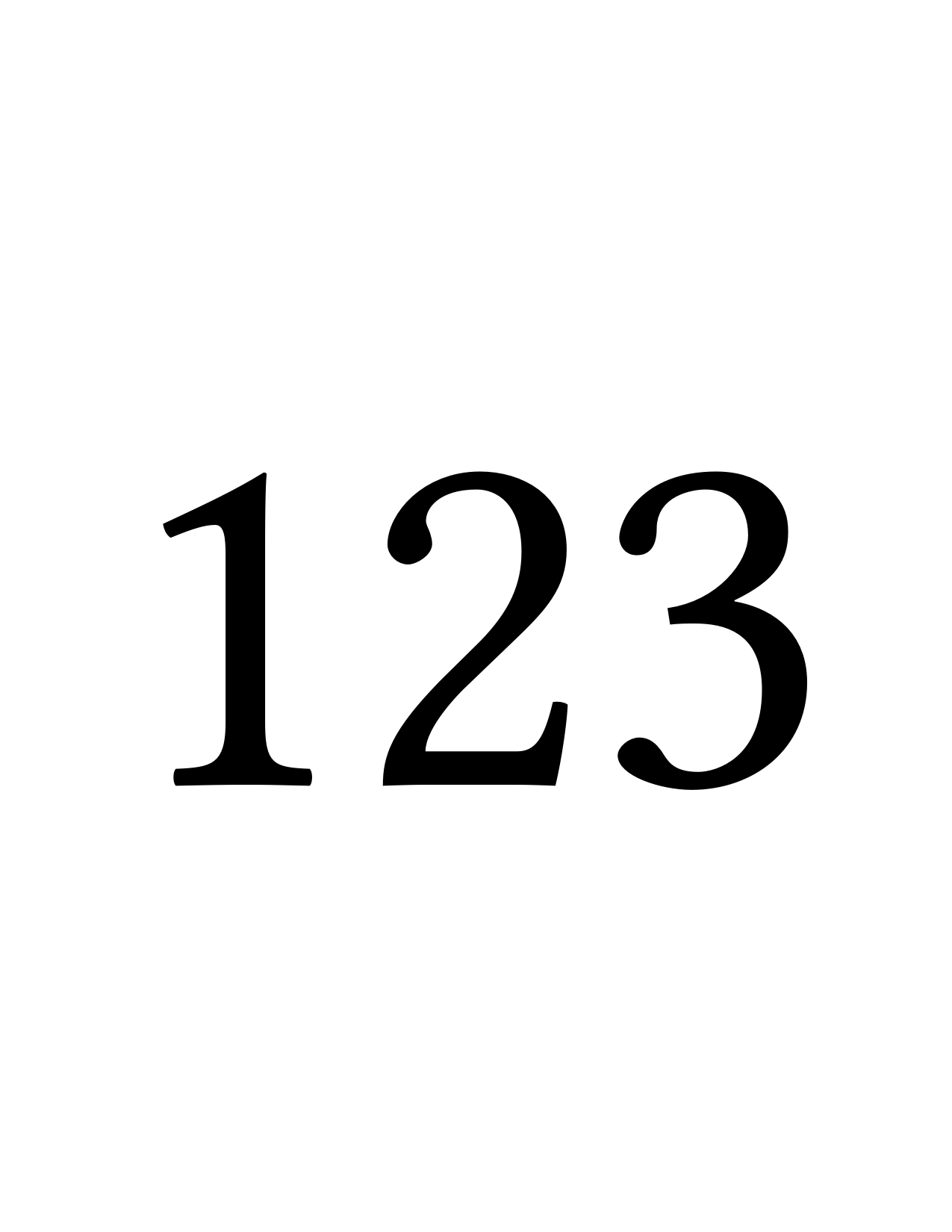 Numeral (Back) |
 Place-Value Colors |
 Colored Numerals |
Bead Shapes
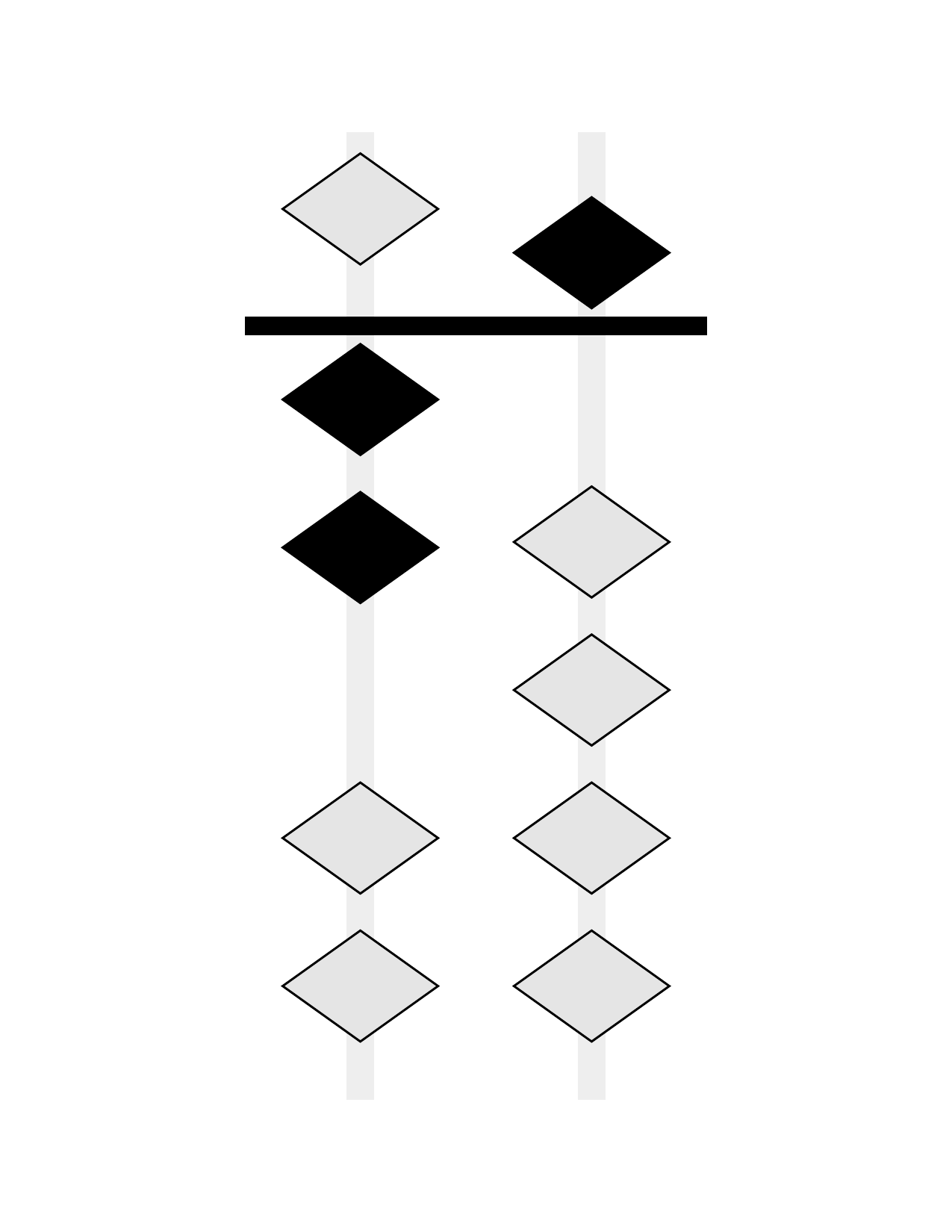 Diamond (Realistic) |
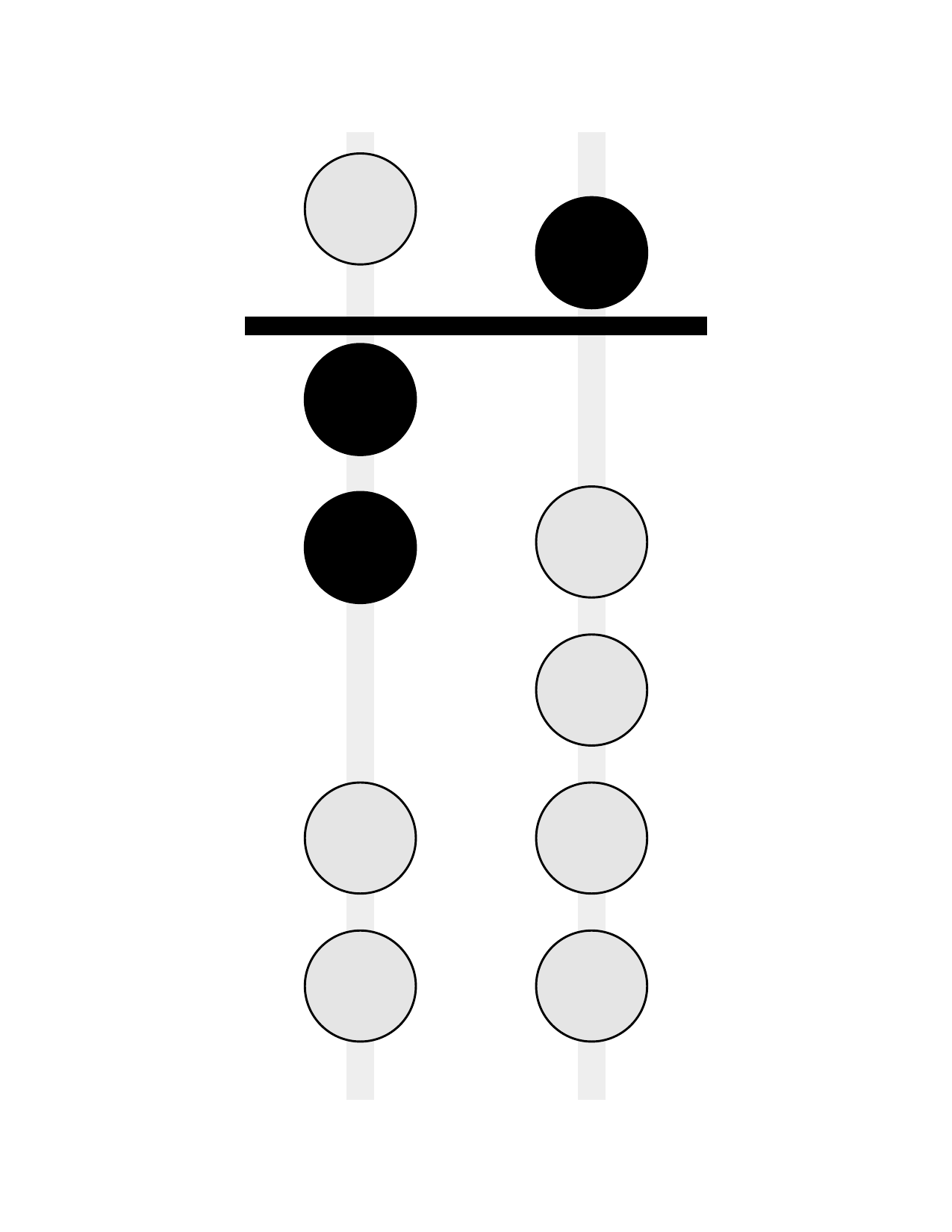 Circle (Traditional) |
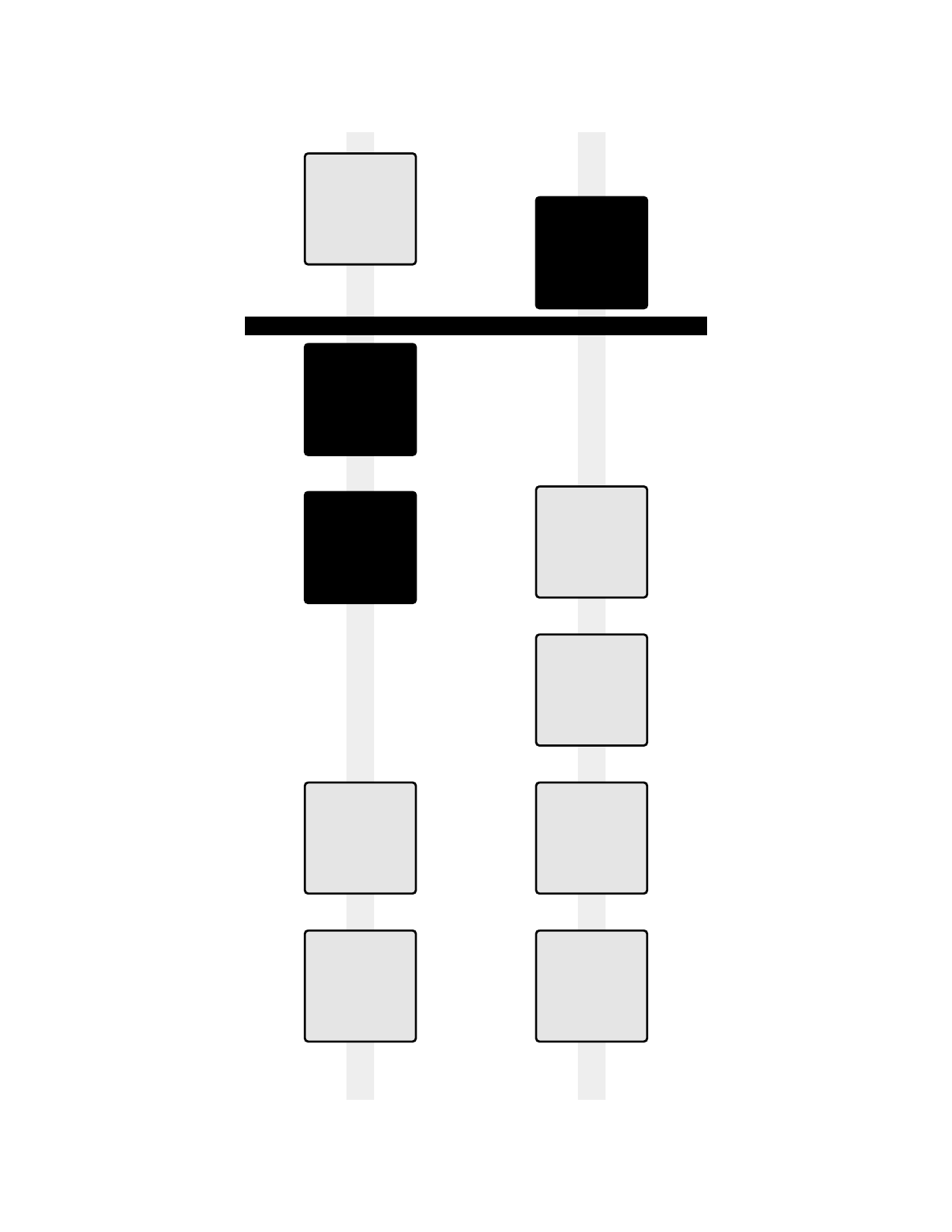 Square |
Layouts and Options
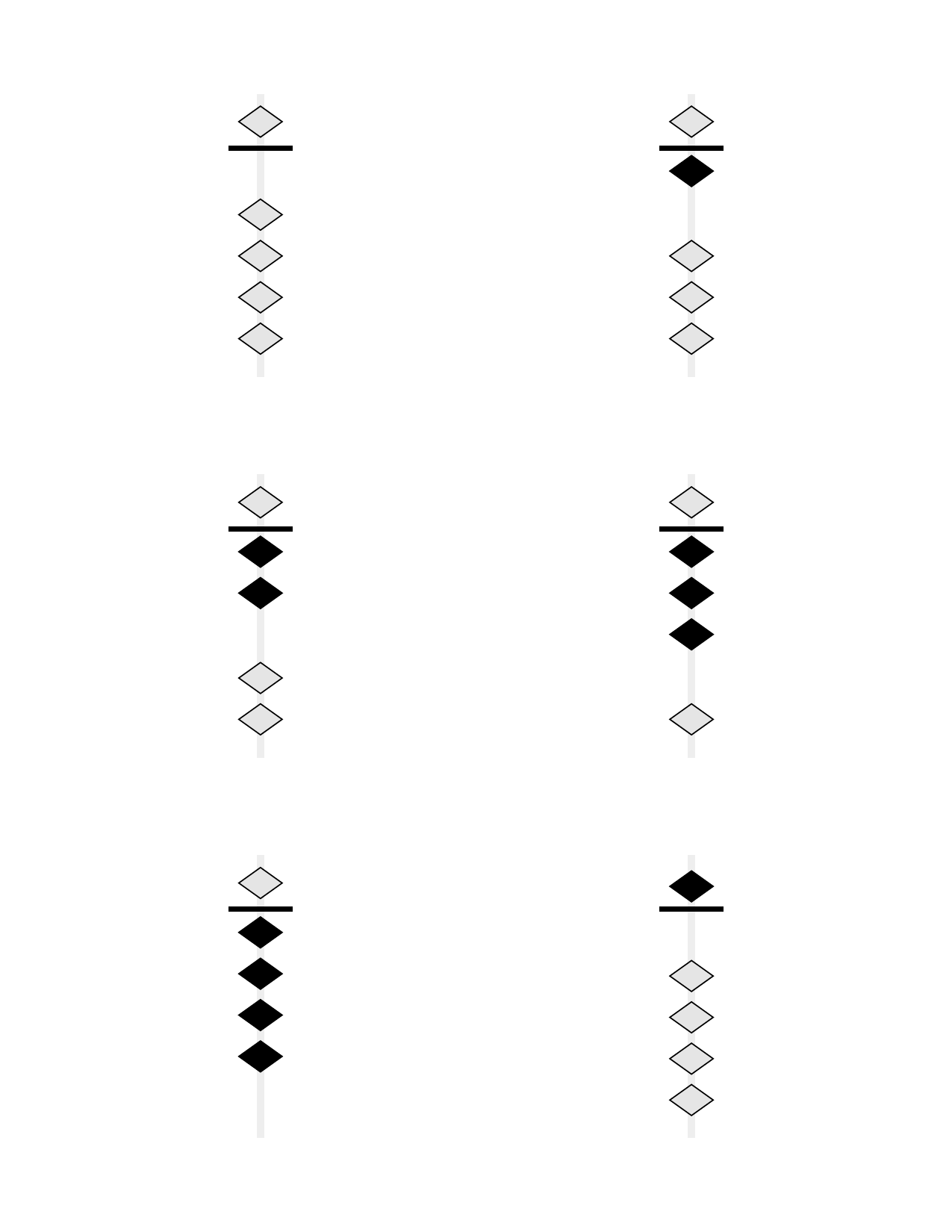 6 Cards Per Page |
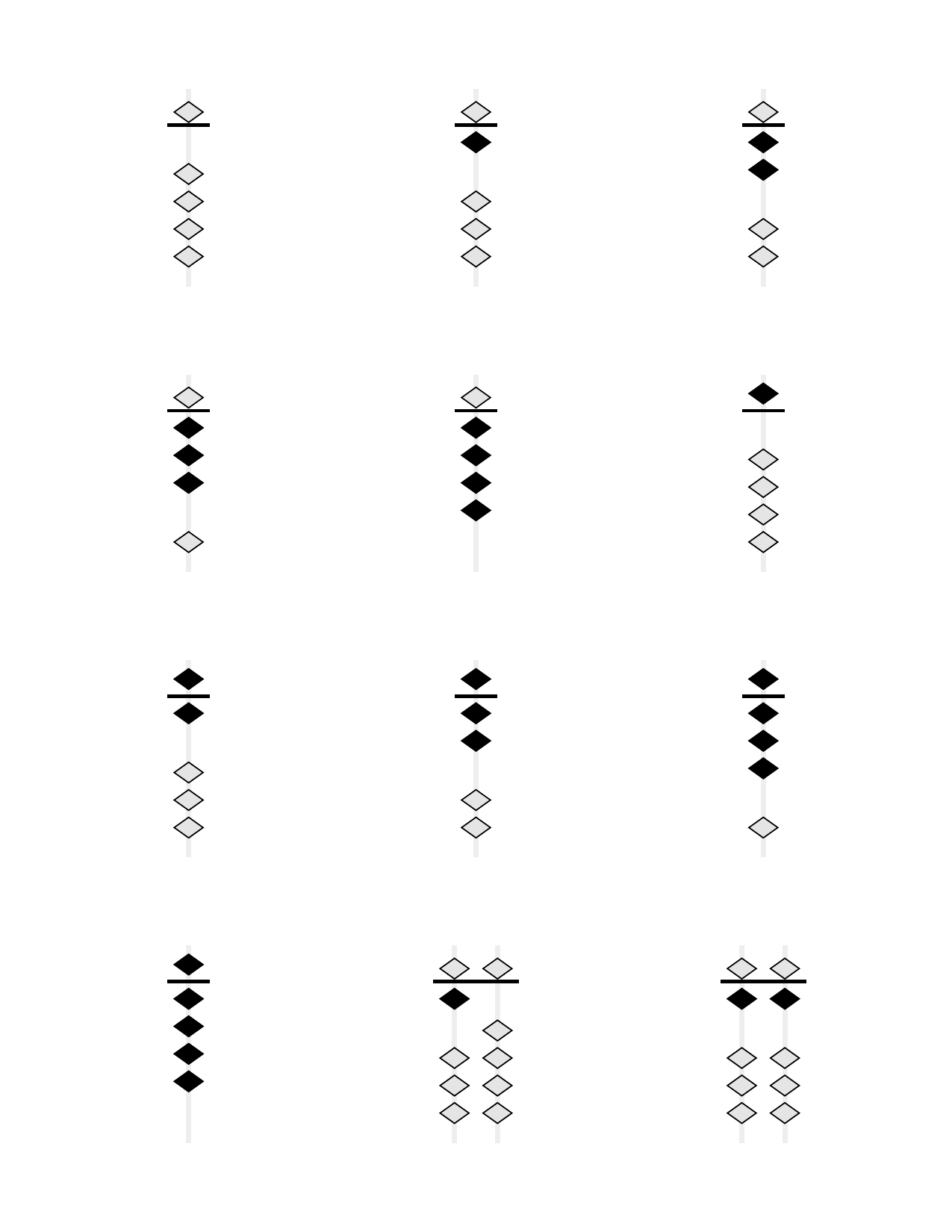 12 Cards Per Page |
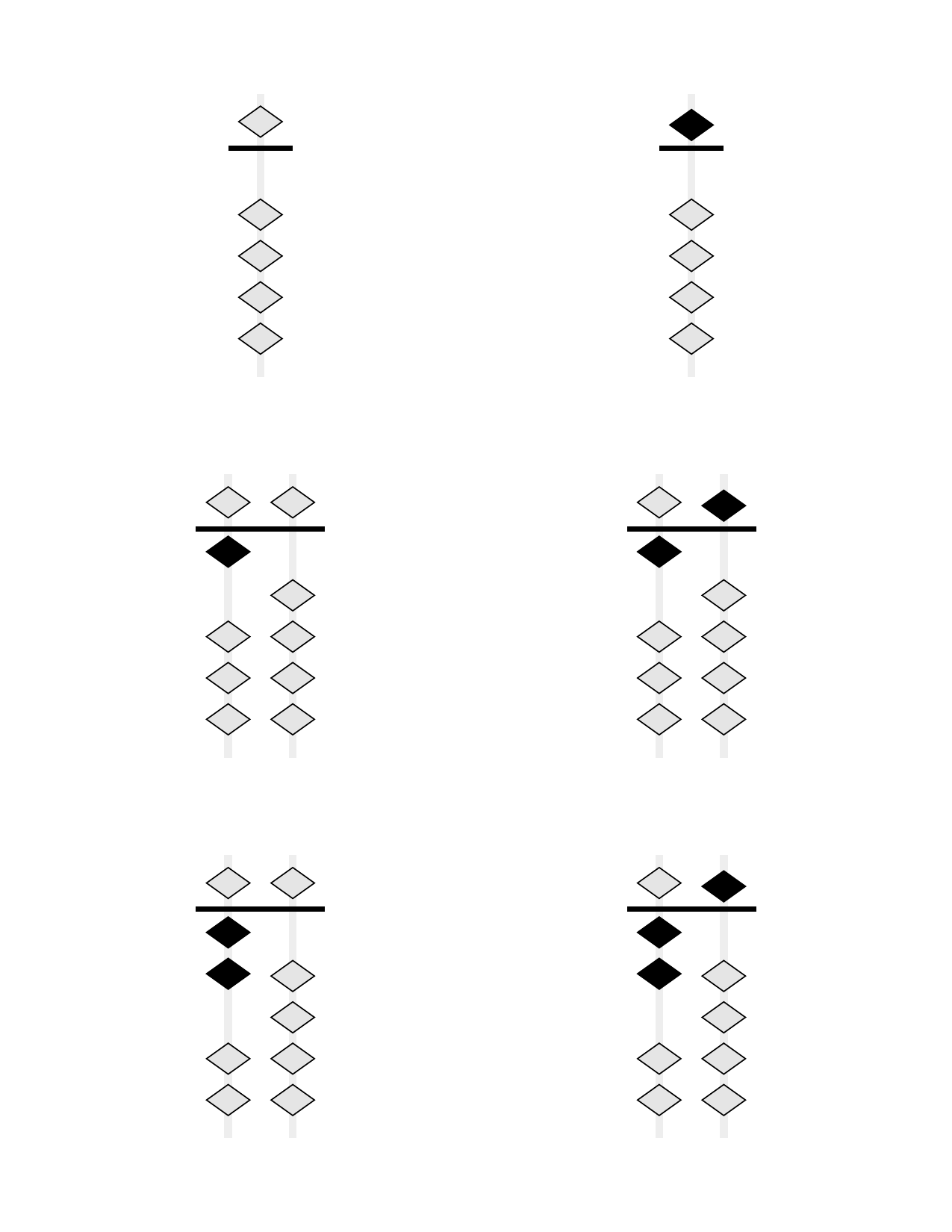 Skip Counting by 5s |
 Hidden Inactive Beads |
Printing Features
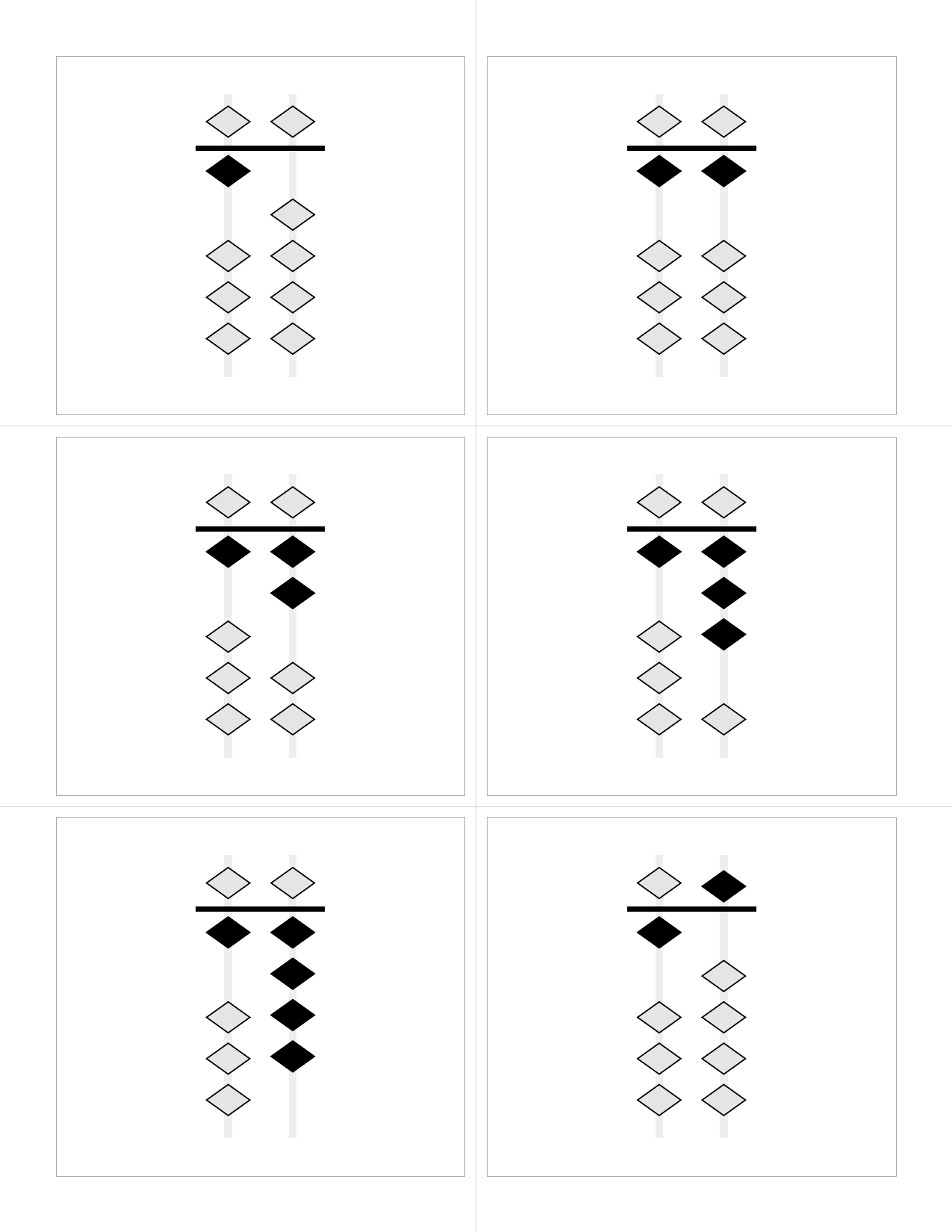 Cutting Guides Full-page guides for accurate card separation |
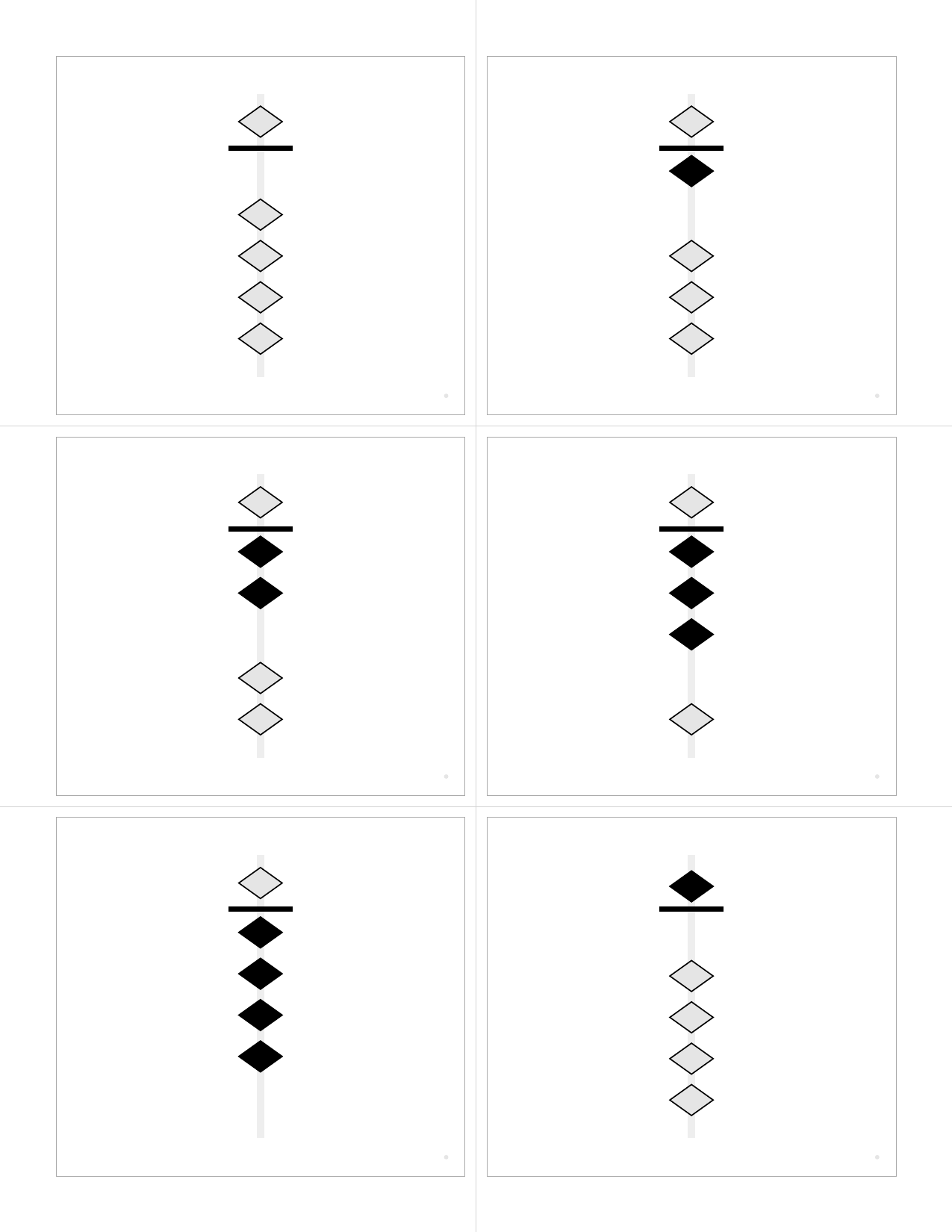 With Registration Marks Alignment marks for duplex printing verification |
Features
- 🎯 Pure vector graphics - All soroban diagrams and text are rendered as vectors
- 📏 Configurable layouts - 1 to 30+ cards per page with automatic scaling
- 🖨️ Duplex printing ready - Automatic front/back alignment for double-sided printing
- 🔤 Embedded fonts - Bundled DejaVu Sans for consistent output
- 🔢 Flexible number ranges - Generate cards for any range or custom list
- 🎨 Color schemes - Educational colors for place-value, heaven-earth, alternating
- 🌈 Colored numerals - Match numeral colors to bead colors
- ✂️ Cutting guides - Full-page guides for accurate card separation
- 🔷 Customizable beads - Diamond (realistic), circle, or square shapes
- 📈 Skip counting - Count by 2s, 5s, 10s, or any increment
- 🔀 Hide inactive beads - Cleaner display for beginners
- 📦 Node.js/TypeScript integration - Clean function interface for web apps
Quick Start
Prerequisites
- macOS (tested on latest versions)
- Python 3 (included with macOS)
- Typst (PDF generation engine)
- qpdf (optional, for linearization)
Installation
# Install dependencies
make install

# Or manually:
brew install typst qpdf
pip3 install pyyaml
Generate Flashcards
# Generate default set (0-9)
make

# Generate from config file
python3 src/generate.py --config config/0-99.yaml

# Custom range
python3 src/generate.py --range 0-99

# Custom list of numbers
python3 src/generate.py --range "1,2,5,10,20,50,100"

# With shuffle
python3 src/generate.py --range 0-99 --shuffle --seed 42
Configuration
Using Configuration Files
Create a YAML or JSON file with your preferences:
range: "0-99"
cards_per_page: 6
paper_size: "us-letter"
orientation: "portrait"
margins:
  top: "0.5in"
  bottom: "0.5in"
  left: "0.5in"
  right: "0.5in"
gutter: "5mm"
show_cut_marks: true
show_registration: true
font_family: "DejaVu Sans"
font_size: "48pt"
columns: auto
show_empty_columns: false
shuffle: false
seed: 42  # For deterministic shuffling
Command-Line Options
python3 src/generate.py [OPTIONS]

Options:
  --config, -c FILE           Configuration file (JSON or YAML)
  --range, -r RANGE          Number range (e.g., "0-99") or list (e.g., "1,2,5")
  --step, -s N               Step/increment for ranges (e.g., 2 for even numbers)
  --cards-per-page N         Cards per page (default: 6, supports 1-30+)
  --paper-size SIZE          Paper size (default: us-letter)
  --orientation ORIENT       Page orientation (portrait/landscape)
  --margins T,R,B,L          Margins (e.g., "0.5in,0.5in,0.5in,0.5in")
  --gutter SIZE              Space between cards (default: 5mm)
  --shuffle                  Shuffle the numbers
  --seed N                   Random seed for deterministic shuffle
  --cut-marks                Show cut marks
  --registration             Show registration marks for alignment
  --font-family FONT         Font family (default: DejaVu Sans)
  --font-size SIZE           Font size (default: 48pt, auto-scales)
  --columns N                Soroban columns (auto or number)
  --show-empty-columns       Show leading empty columns
  --hide-inactive-beads      Hide inactive beads (show only active)
  --bead-shape SHAPE         Bead shape (diamond/circle/square)
  --color-scheme SCHEME      Color scheme (monochrome/place-value/heaven-earth/alternating)
  --colored-numerals         Color numerals to match bead colors
  --scale-factor N           Manual scale adjustment (0.1-1.0, default: 0.9)
  --output, -o FILE          Output PDF path (default: out/flashcards.pdf)
  --linearize                Create linearized PDF (default: true)
Soroban Representation
The soroban is rendered with:
- 1 heaven bead (worth 5) per column
- 4 earth beads (worth 1 each) per column
- Active beads shown in black, moved toward the reckoning bar
- Inactive beads shown in light gray, away from the bar
- Columns represent place values (ones, tens, hundreds, etc.)
Column Display Options
columns: auto- Shows minimal columns neededcolumns: 3- Always shows 3 columns (e.g., for 0-999)show_empty_columns: true- Shows leading zerosshow_empty_columns: false- Suppresses leading zeros
Print Settings
For Best Results
- Paper: US Letter (8.5" × 11") or A4
- Margins: Default 0.5" works with most printers
- Duplex: Long-edge binding, automatic duplex
- Cut marks: Enable with
--cut-marksfor easier cutting - Registration: Enable with
--registrationfor alignment verification
Duplex Printing
The PDFs are specifically formatted for double-sided printing:
- Odd pages (1, 3, 5...): Soroban bead diagrams (front of cards)
- Even pages (2, 4, 6...): Arabic numerals (back of cards)
- Pages are properly ordered for long-edge binding (standard duplex)
- Back sides are horizontally mirrored to align correctly when flipped
To print double-sided:
- Open the PDF in your viewer
- Select Print → Two-Sided → Long-Edge Binding
- The printer will automatically place numerals on the back of each soroban diagram
Sample Configurations
config/default.yaml- Basic 0-9 setconfig/0-99.yaml- Two-digit numbers with cut marksconfig/3-column-fixed.yaml- Three-digit numbers, fixed widthconfig/minimal-beads.yaml- Hide inactive beads for clarityconfig/circle-beads.yaml- Traditional circular beadsconfig/place-value-colors.yaml- Place value color codingconfig/colored-numerals.yaml- Colored numerals matching beadsconfig/count-by-5s.yaml- Skip counting by 5s
Project Structure
soroban-abacus-flashcards/
├── src/
│   ├── generate.py         # Main CLI tool
│   ├── bridge.py          # Node.js integration bridge
│   └── api.py             # FastAPI server (optional)
├── templates/
│   └── flashcards.typ      # Typst template with soroban rendering
├── config/                 # Preset configurations
│   ├── default.yaml
│   ├── 0-99.yaml
│   ├── place-value-colors.yaml
│   └── ...
├── client/                 # Integration libraries
│   ├── node/              # Node.js/TypeScript wrapper
│   ├── typescript/        # Browser TypeScript client
│   └── browser/           # Browser-based implementation
├── fonts/
│   ├── DejaVuSans.ttf     # Bundled font
│   └── DejaVuSans-Bold.ttf # Bold variant
├── out/                    # Generated PDFs (created on first run)
├── Makefile               # Build automation
└── README.md              # This file
Design Notes
Soroban Number Mapping
Numbers are decomposed into heaven (5s) and earth (1s) beads:
- 7 = 1 heaven bead (5) + 2 earth beads (2×1)
- 23 = Tens: 4 earth beads (4×1), Ones: 3 earth beads (3×1)
- 156 = Hundreds: 1 heaven + 0 earth, Tens: 1 heaven + 0 earth, Ones: 1 heaven + 1 earth
Duplex Alignment
- Front cards are laid out left-to-right, top-to-bottom
- Back cards are mirrored horizontally for long-edge binding
- Registration marks (optional) help verify alignment
- Safe margins ensure content isn't lost when cutting
Vector Graphics
All elements are rendered as vectors using Typst's drawing primitives:
- Beads are vector circles with stroke
- Rods and reckoning bar are vector rectangles
- No rasterization ensures crisp output at any scale
Troubleshooting
"typst command not found"
Run make install or brew install typst
"qpdf command not found"
PDF will generate but won't be linearized. Install with brew install qpdf
Fonts not embedding
Ensure the fonts/ directory contains the DejaVu TTF files
Misaligned duplex printing
- Check printer duplex settings (should be long-edge)
- Enable registration marks with
--registration - Verify margins match your printer's capabilities
Examples
# Generate samples
make samples

# Quick test
make test

# Clean all outputs
make clean

# Show help
make help
Node.js/TypeScript Integration
Installation
cd client/node
npm install
Usage Example
import { SorobanGenerator } from './soroban-generator-bridge';

async function generateFlashcards() {
  const generator = new SorobanGenerator();

  // Generate with clean function interface - no CLI args!
  const result = await generator.generate({
    range: '0-99',
    cardsPerPage: 6,
    colorScheme: 'place-value',
    coloredNumerals: true,
    showCutMarks: true
  });

  // Get PDF as Buffer
  const pdfBuffer = Buffer.from(result.pdf, 'base64');

  // Save to file or send to client
  await fs.writeFile('flashcards.pdf', pdfBuffer);
}
Express.js Integration
import express from 'express';
import { SorobanGenerator } from './soroban-generator-bridge';

const app = express();
const generator = new SorobanGenerator();

app.post('/api/flashcards', async (req, res) => {
  // Direct function call - no shell commands!
  const result = await generator.generate(req.body);
  const pdfBuffer = Buffer.from(result.pdf, 'base64');

  res.contentType('application/pdf');
  res.send(pdfBuffer);
});
API Reference
The SorobanGenerator class provides:
generate(config)- Returns{ pdf: string, count: number, numbers: number[] }generateBuffer(config)- Returns PDF as Node.js Bufferinitialize()- Start persistent Python process for better performanceclose()- Clean up Python process
All methods use clean TypeScript interfaces with proper types - no shell command building required!
Development
Updating Example Images
If you make changes that affect the visual output, please update the example images:
# Regenerate all example images
make examples

# Or use the update script
./scripts/update-examples.sh

# Verify examples are up to date (CI will also check this)
make verify-examples
The CI pipeline will automatically verify that example images are up to date with the code.
Running Tests
# Quick test build
make test

# Generate all samples
make samples

# Full CI verification
make verify-examples
License
MIT License - see LICENSE file for details.
This project uses DejaVu Sans font (included), which is released under a free license.