


README.md
🧮 Soroban Flashcard Generator
Master the Ancient Art of Mental Math

Transform numbers into beautiful, interactive learning experiences
The ultimate toolkit for learning soroban (Japanese abacus) calculation
🎯 Perfect for students, teachers, and mental math enthusiasts
🚀 From zero to calculation ninja in record time
🎨 Stunning visuals meet ancient wisdom
Create gorgeous flashcards, interactive web games, and immersive quizzes that make learning soroban addictive. Whether you're teaching a classroom or mastering mental math yourself, this generator transforms traditional number learning into a vibrant, engaging adventure.
🔥 What makes this special:
- Visual perfection: Crystal-clear soroban representations with authentic bead positioning
- Game-changing interactivity: Memory challenges, sorting games, and smart input systems
- Universal compatibility: Generate PDFs, web apps, PNGs, SVGs - whatever you need
- Colorblind-friendly: Thoughtfully designed palettes ensure everyone can learn
- Instant deployment: One command creates complete learning environments
🎨 Visual Gallery
Experience the Beauty of Mathematical Precision
 🌿 Nature Palette Earth tones for focused learning |
👁️ Universal Access Colorblind-friendly brilliance |
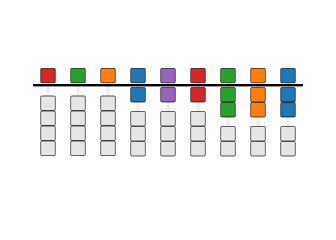 🧠 Memory Master Colors that stick in your mind |
Each bead precisely positioned, every color carefully chosen, all interactions thoughtfully designed.
Examples
 Soroban (Front) |
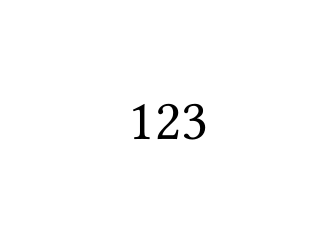 Numeral (Back) |
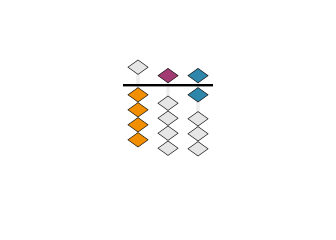 Place-Value Colors |
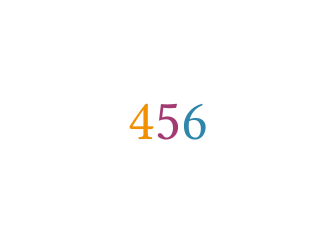 Colored Numerals |
Bead Shapes
 Diamond (Realistic) |
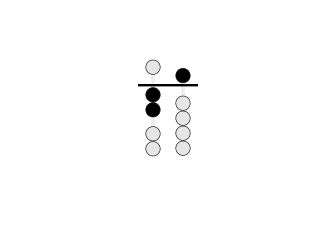 Circle (Traditional) |
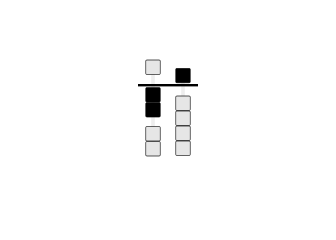 Square |
Layouts and Options
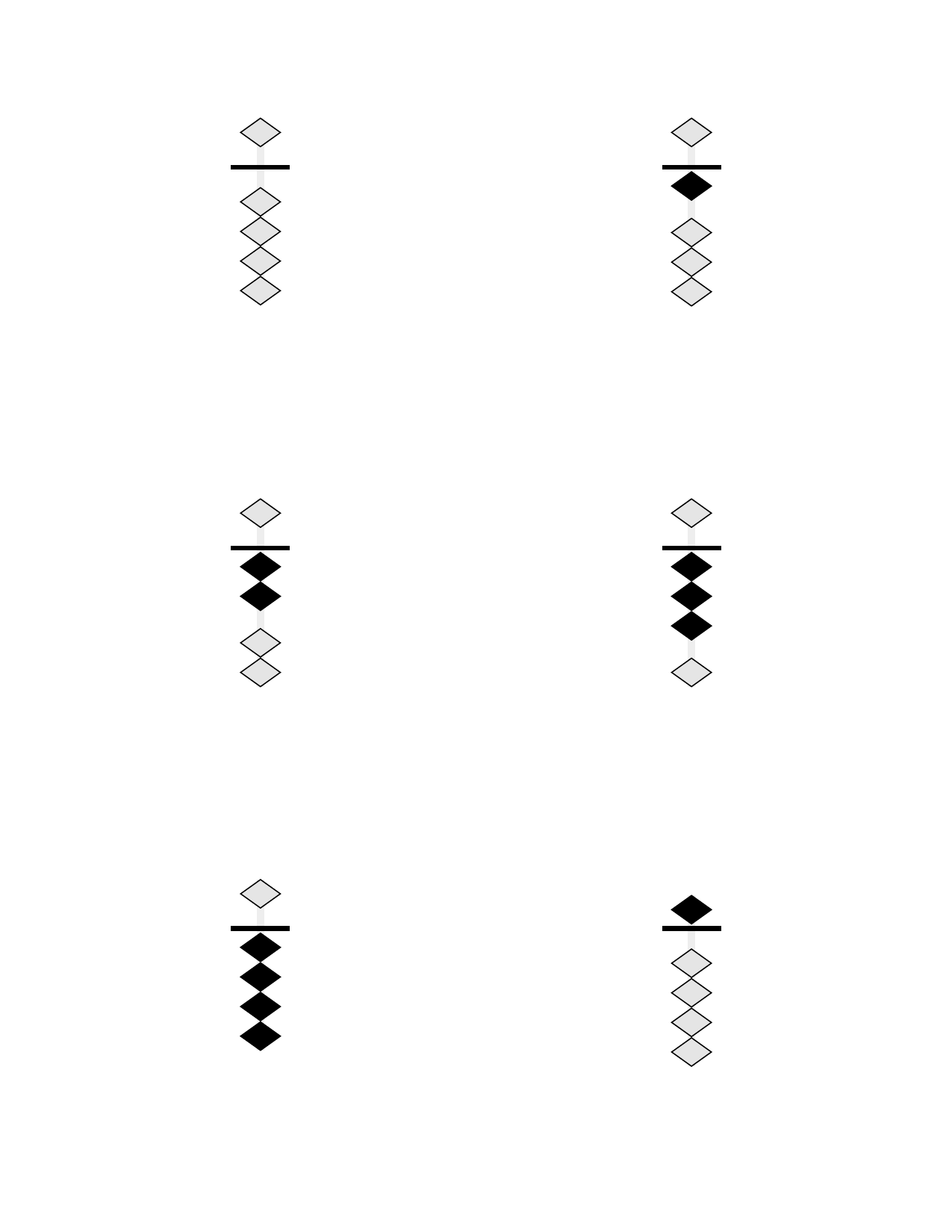 6 Cards Per Page |
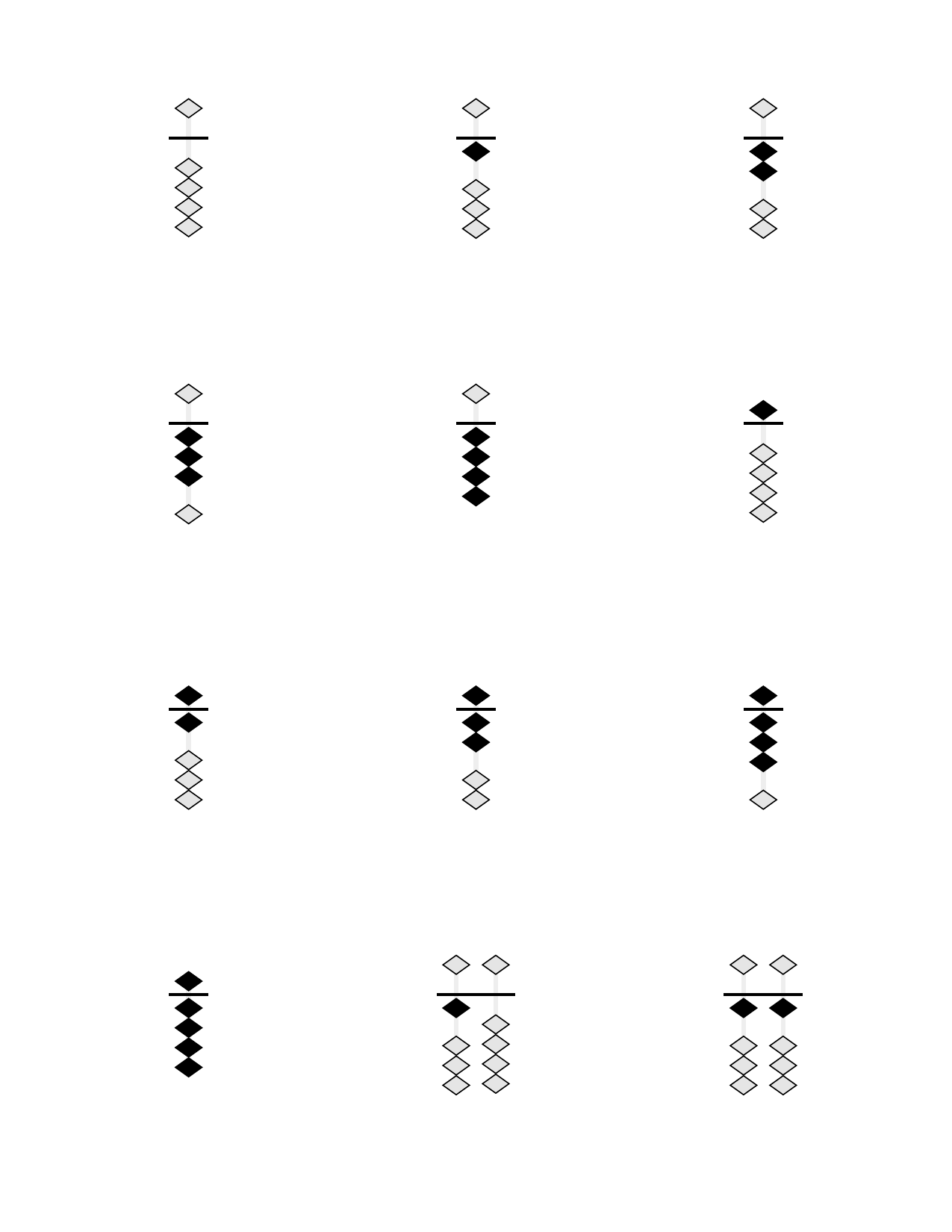 12 Cards Per Page |
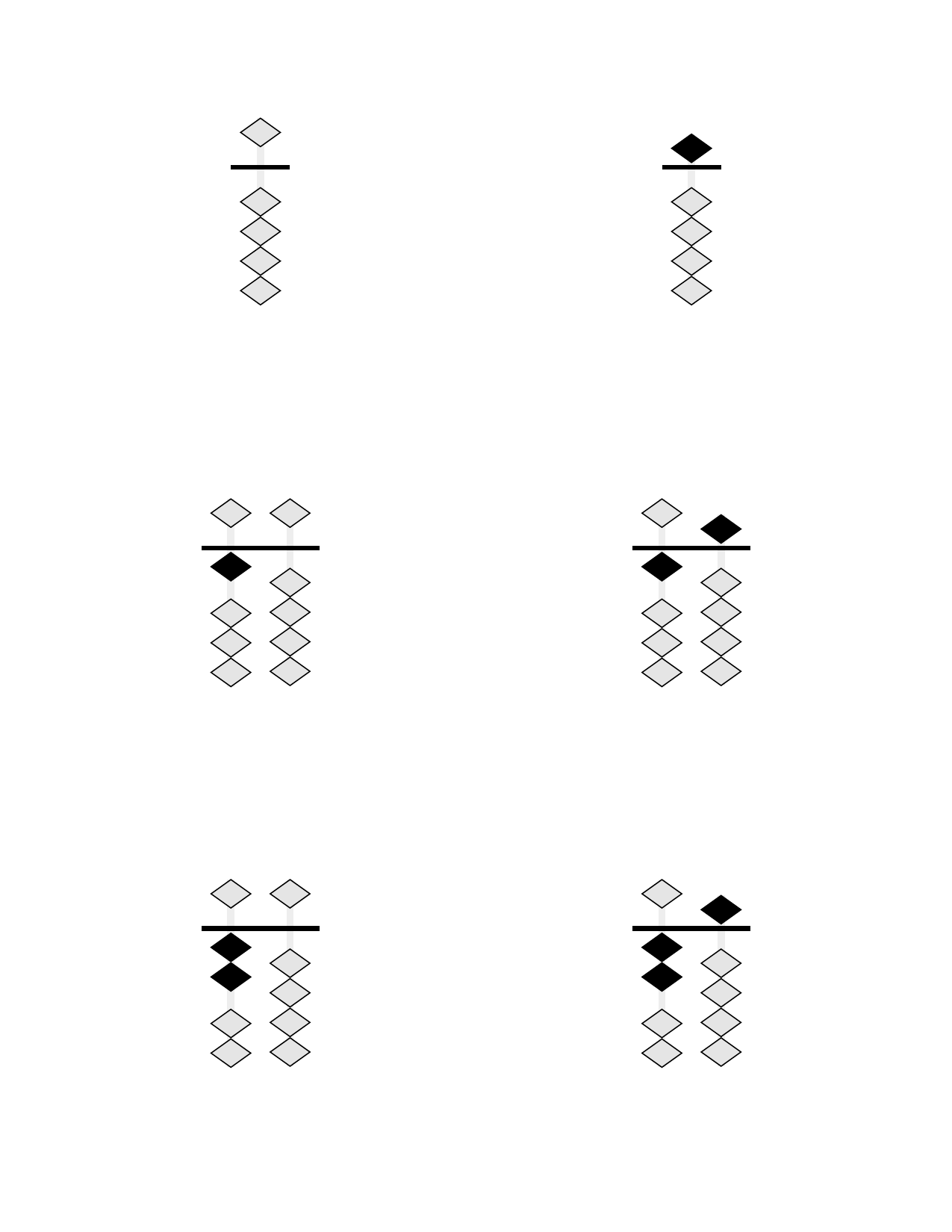 Skip Counting by 5s |
 Hidden Inactive Beads |
Printing Features
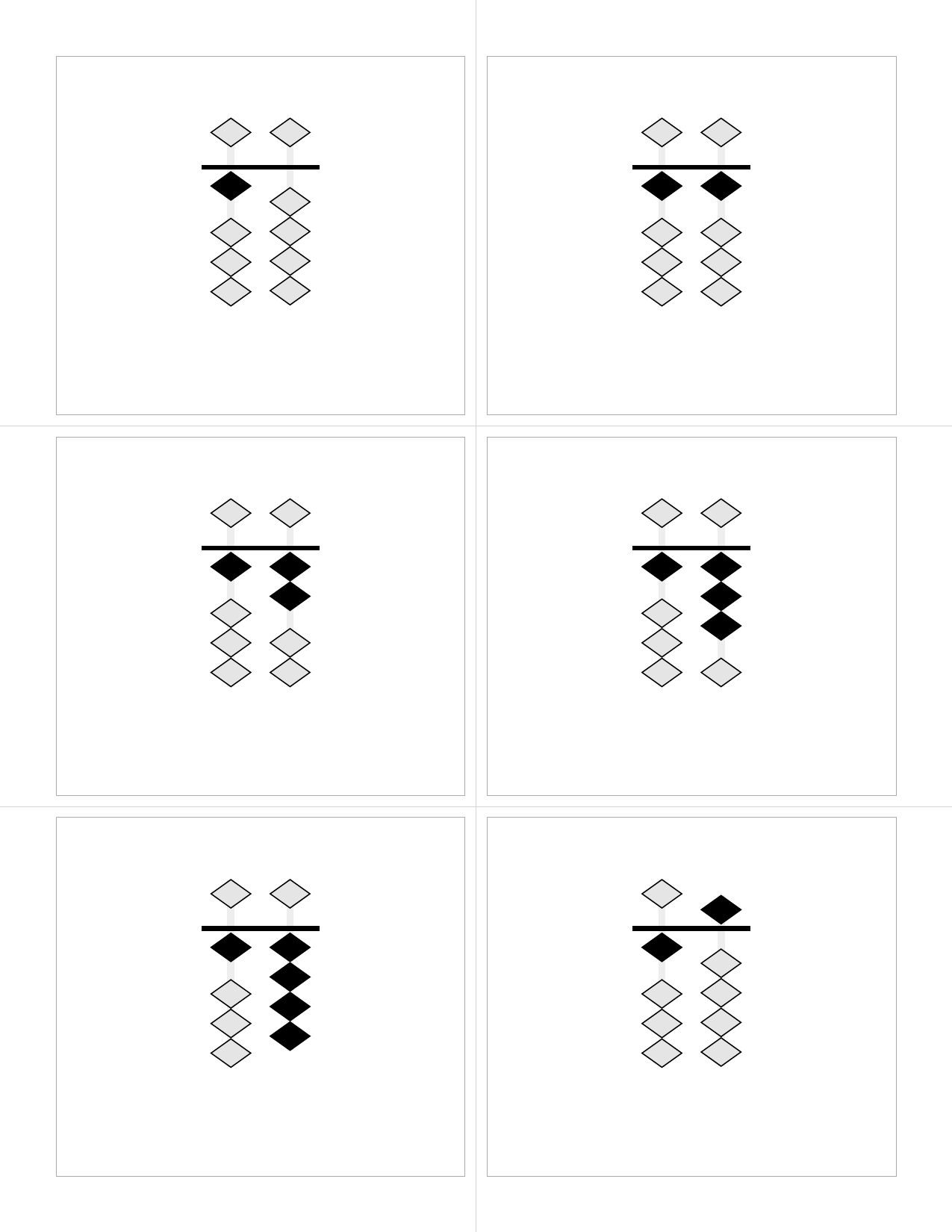 Cutting Guides Full-page guides for accurate card separation |
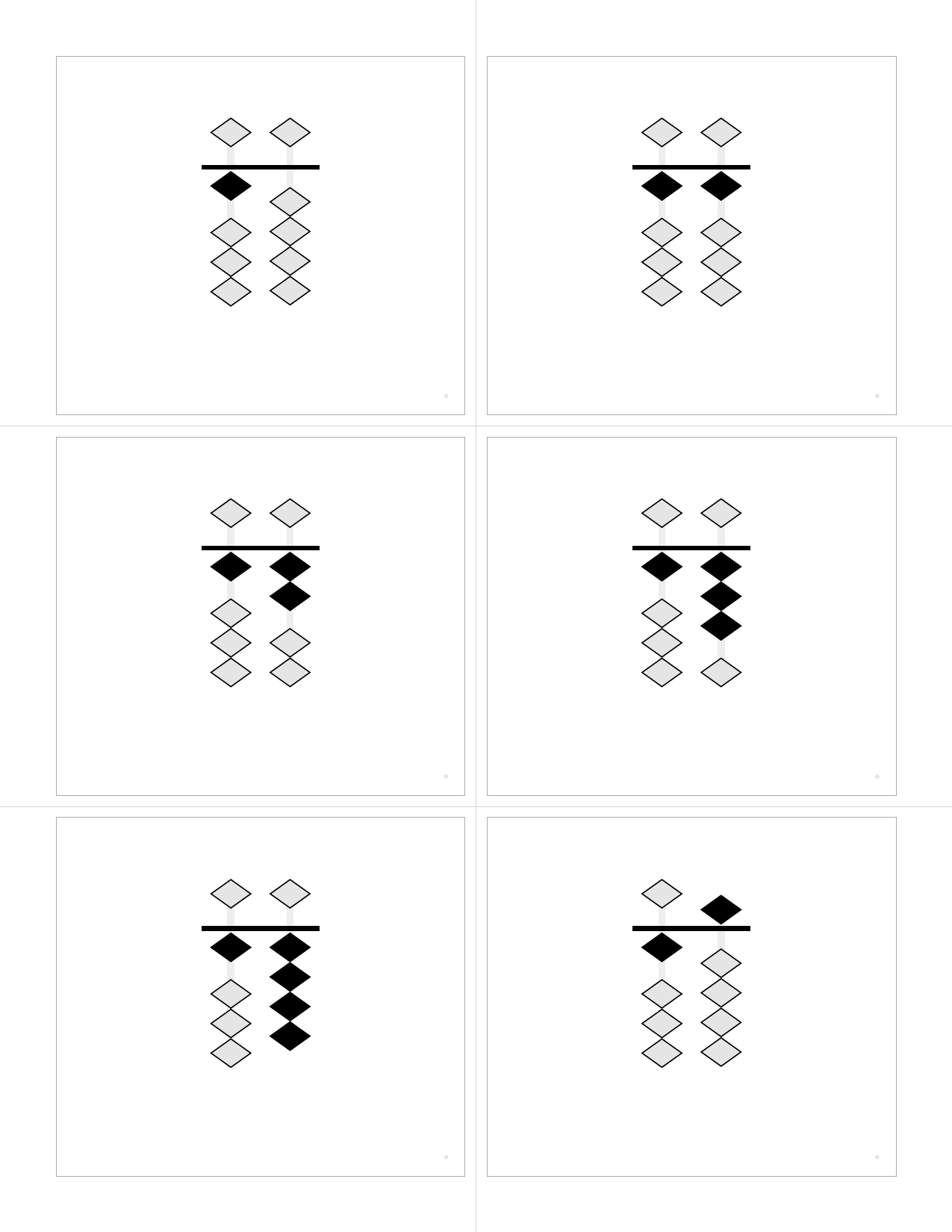 With Registration Marks Alignment marks for duplex printing verification |
Output Formats
📱 Interactive Web Flashcards (--format web)
Generate self-contained HTML files with advanced interactive features:
# Generate interactive web flashcards
python3 src/generate.py --format web --range 0-99 --output flashcards.html

# Try the quiz mode
python3 src/generate.py --format web --range 0-50 --shuffle
Web Features:
- 🃏 Digital Flashcards: Hover to reveal numbers, click to flip cards
- 🧠 Timed Quiz Mode: Configurable display times (0.5-10 seconds), multiple card counts (5, 10, 15, 25, All)
- 📊 Smart Scoring: Fair scoring algorithm, progress tracking, detailed results
- 🎯 Sorting Challenge: Drag-and-drop number sorting with gap-filling logic
- 🎮 Matching Pairs: Memory game matching abacus patterns with numerals
- Single & two-player modes with competitive scoring
- Multiple grid sizes (3×4, 4×4, 4×6, 5×6) for different skill levels
- Turn-based timers and player indicators for multiplayer games
- Efficiency-based medal system (Gold/Silver/Bronze achievements)
- 📱 Responsive Design: Works on desktop, tablet, and mobile
- 🖨️ PDF Integration: Automatically suggests high-quality PDF format when printing is attempted
- ♿ Accessible: Keyboard navigation, semantic HTML, ARIA labels
- 🎨 Full Customization: All color schemes, bead shapes, and display options supported
📄 Vector PDF (--format pdf)
High-quality vector PDFs optimized for duplex printing:
# Standard PDF with cut marks
python3 src/generate.py --format pdf --range 0-99 --cut-marks --registration
PDF Features:
- Pure vector graphics for crisp output at any scale
- Duplex printing alignment with registration marks
- Cutting guides for precise card separation
- Embedded fonts ensure consistent output
🖼️ PNG/SVG Images (--format png, --format svg)
Individual card images for digital use or custom layouts:
# Generate PNG cards at high resolution
python3 src/generate.py --format png --range 1-10 --dpi 300 --transparent

# Generate SVG cards for web use
python3 src/generate.py --format svg --range 0-99 --separate
Image Features:
- High-resolution PNG (configurable DPI)
- Scalable SVG with embedded CSS
- Transparent backgrounds supported
- Separate front/back organization
Features
🎓 Learning & Teaching Tools
- 🧠 Interactive Quiz Mode: Timed flashcard quizzes with configurable display times and scoring
- 🎯 Sorting Challenges: Drag-and-drop number sorting games with intelligent gap-filling
- 🎮 Matching Pairs Game: Memory challenges matching soroban patterns with numerals
- Single Player: Focus mode with efficiency scoring and medal achievements
- Two Player: Competitive multiplayer with turn timers and player tracking
- Adaptive Difficulty: 4 grid sizes (6-30 pairs) scaling with skill level
- Smart Validation: Prevents invalid moves, guides learning progression
- 📊 Progress Tracking: Real-time feedback, scoring, and performance analytics
- 📱 Multi-Device Support: Responsive design works on desktop, tablet, and mobile
🎨 Visual Customization
- 🎯 Pure vector graphics - Crisp output at any scale, all formats
- 🎨 Color schemes - Educational colors for place-value, heaven-earth, alternating
- 🌈 Colored numerals - Match numeral colors to bead colors for reinforcement
- 🔷 Customizable beads - Diamond (realistic), circle, or square shapes
- 🔀 Minimalist mode - Hide inactive beads for cleaner displays
📋 Flexible Content
- 🔢 Flexible ranges - Any range (0-9999+) or custom lists (1,2,5,10,20,50,100)
- 📈 Skip counting - Count by 2s, 5s, 10s, or any increment
- 🎲 Shuffling - Randomize with optional seeds for reproducible builds
- 📊 Smart scaling - Automatic column management and font sizing
🖨️ Print & Production
- 📏 Configurable layouts - 1 to 30+ cards per page with automatic scaling
- 🖨️ Duplex printing ready - Automatic front/back alignment for double-sided printing
- ✂️ Cutting guides - Full-page guides and registration marks for accurate separation
- 🔤 Embedded fonts - Bundled DejaVu Sans for consistent cross-platform output
🔧 Integration & Formats
- 📱 Web HTML - Self-contained interactive flashcards with quiz modes
- 📄 Vector PDF - High-quality print-ready documents
- 🖼️ PNG/SVG - Individual card images for digital use
- 📦 Node.js/TypeScript - Clean API for web applications
- 🌐 REST API - FastAPI server for web services
- ⚙️ CLI Interface - Powerful command-line tool with extensive options
Quick Start
Prerequisites
- macOS (tested on latest versions)
- Python 3 (included with macOS)
- Typst (PDF generation engine)
- qpdf (optional, for linearization)
Installation
# Install dependencies
make install

# Or manually:
brew install typst qpdf
pip3 install pyyaml
Generate Flashcards
# Generate default set (0-9)
make

# Generate from config file
python3 src/generate.py --config config/0-99.yaml

# Custom range
python3 src/generate.py --range 0-99

# Custom list of numbers
python3 src/generate.py --range "1,2,5,10,20,50,100"

# With shuffle
python3 src/generate.py --range 0-99 --shuffle --seed 42
📚 Component Documentation
Explore our comprehensive component documentation and interactive examples:
🎨 Storybook Documentation
|
🌐 Web Application Complete web app components Games • Tutorials • UI Elements |
🧮 Abacus React Component Interactive abacus library Props • Stories • Examples |
Browse interactive demos, component APIs, and implementation examples
🎮 Interactive Learning Games
The web format includes three immersive learning experiences designed to make soroban mastery engaging and fun:
🧠 Memory Quiz Challenge
Test your number recognition skills with timed flashcard quizzes:
- Adaptive Timing: 0.5-10 second display windows
- Flexible Difficulty: 5, 10, 15, 25 cards or full deck
- Smart Scoring: Accounts for difficulty and accuracy
- Progress Tracking: Real-time feedback and performance analytics
🎯 Sorting Master
Develop number sense through drag-and-drop sorting challenges:
- Intelligent Gap-Filling: Place cards in the correct sequence
- Visual Feedback: Immediate validation and hints
- Scalable Difficulty: Choose your challenge level
- Educational Design: Reinforces number relationships
🎮 Matching Pairs Arena
Memory game combining visual pattern recognition with numerical understanding:
Single Player Mode:
- 🏆 Medal System: Gold (≤1.5× pairs), Silver (≤2× pairs), Bronze (≤3× pairs)
- 📏 Four Grid Sizes: 3×4 (6 pairs), 4×4 (8 pairs), 4×6 (12 pairs), 5×6 (15 pairs)
- ⚡ Efficiency Scoring: Rewards optimal play and quick thinking
- 🎯 Smart Validation: Only allows valid matches (abacus ↔ numeral)
Two Player Mode:
- 👥 Competitive Multiplayer: Turn-based gameplay with score tracking
- ⏱️ Turn Timers: Optional 15s/30s/60s time limits with visual countdown
- 🏆 Player Indicators: Color-coded badges show who found each match
- 🚀 First Move Grace: Timer waits for first card flip to begin counting
- 🎨 Visual Clarity: De-emphasized matched cards guide continued play
Technical Features:
- 📱 Responsive Design: Scales perfectly on all devices without scrolling
- 🔄 One-Click Start: Integrated mode and grid selection
- 🎨 Kid-Friendly UX: Clear visual feedback prevents confusion
- ♿ Accessible: Keyboard navigation and semantic HTML
Configuration
Using Configuration Files
Create a YAML or JSON file with your preferences:
range: "0-99"
cards_per_page: 6
paper_size: "us-letter"
orientation: "portrait"
margins:
  top: "0.5in"
  bottom: "0.5in"
  left: "0.5in"
  right: "0.5in"
gutter: "5mm"
show_cut_marks: true
show_registration: true
font_family: "DejaVu Sans"
font_size: "48pt"
columns: auto
show_empty_columns: false
shuffle: false
seed: 42 # For deterministic shuffling
Command-Line Options
python3 src/generate.py [OPTIONS]

Options:
  --config, -c FILE           Configuration file (JSON or YAML)
  --range, -r RANGE          Number range (e.g., "0-99") or list (e.g., "1,2,5")
  --step, -s N               Step/increment for ranges (e.g., 2 for even numbers)
  --cards-per-page N         Cards per page (default: 6, supports 1-30+)
  --paper-size SIZE          Paper size (default: us-letter)
  --orientation ORIENT       Page orientation (portrait/landscape)
  --margins T,R,B,L          Margins (e.g., "0.5in,0.5in,0.5in,0.5in")
  --gutter SIZE              Space between cards (default: 5mm)
  --shuffle                  Shuffle the numbers
  --seed N                   Random seed for deterministic shuffle
  --cut-marks                Show cut marks
  --registration             Show registration marks for alignment
  --font-family FONT         Font family (default: DejaVu Sans)
  --font-size SIZE           Font size (default: 48pt, auto-scales)
  --columns N                Soroban columns (auto or number)
  --show-empty-columns       Show leading empty columns
  --hide-inactive-beads      Hide inactive beads (show only active)
  --bead-shape SHAPE         Bead shape (diamond/circle/square)
  --color-scheme SCHEME      Color scheme (monochrome/place-value/heaven-earth/alternating)
  --colored-numerals         Color numerals to match bead colors
  --scale-factor N           Manual scale adjustment (0.1-1.0, default: 0.9)
  --output, -o FILE          Output PDF path (default: out/flashcards.pdf)
  --linearize                Create linearized PDF (default: true)
Soroban Representation
The soroban is rendered with:
- 1 heaven bead (worth 5) per column
- 4 earth beads (worth 1 each) per column
- Active beads shown in black, moved toward the reckoning bar
- Inactive beads shown in light gray, away from the bar
- Columns represent place values (ones, tens, hundreds, etc.)
Column Display Options
columns: auto- Shows minimal columns neededcolumns: 3- Always shows 3 columns (e.g., for 0-999)show_empty_columns: true- Shows leading zerosshow_empty_columns: false- Suppresses leading zeros
Print Settings
For Best Results
- Paper: US Letter (8.5" × 11") or A4
- Margins: Default 0.5" works with most printers
- Duplex: Long-edge binding, automatic duplex
- Cut marks: Enable with
--cut-marksfor easier cutting - Registration: Enable with
--registrationfor alignment verification
Duplex Printing
The PDFs are specifically formatted for double-sided printing:
- Odd pages (1, 3, 5...): Soroban bead diagrams (front of cards)
- Even pages (2, 4, 6...): Arabic numerals (back of cards)
- Pages are properly ordered for long-edge binding (standard duplex)
- Back sides are horizontally mirrored to align correctly when flipped
To print double-sided:
- Open the PDF in your viewer
- Select Print → Two-Sided → Long-Edge Binding
- The printer will automatically place numerals on the back of each soroban diagram
Sample Configurations
config/default.yaml- Basic 0-9 setconfig/0-99.yaml- Two-digit numbers with cut marksconfig/3-column-fixed.yaml- Three-digit numbers, fixed widthconfig/minimal-beads.yaml- Hide inactive beads for clarityconfig/circle-beads.yaml- Traditional circular beadsconfig/place-value-colors.yaml- Place value color codingconfig/colored-numerals.yaml- Colored numerals matching beadsconfig/count-by-5s.yaml- Skip counting by 5s
Project Structure
soroban-abacus-flashcards/
├── src/
│   ├── generate.py            # Main CLI tool (all formats)
│   ├── web_generator.py       # Interactive web flashcards with quiz modes
│   ├── bridge.py              # Node.js integration bridge
│   ├── api.py                 # FastAPI REST server
│   └── generate_examples.py   # Example generation utilities
├── templates/
│   └── flashcards.typ         # Typst template with soroban rendering
├── config/                    # Preset configurations
│   ├── default.yaml           # Basic 0-9 set
│   ├── 0-99.yaml             # Two-digit numbers with cut marks
│   ├── place-value-colors.yaml # Educational color coding
│   ├── colored-numerals.yaml  # Matching numeral colors
│   ├── minimal-beads.yaml     # Hide inactive beads
│   ├── circle-beads.yaml      # Traditional circular beads
│   ├── count-by-5s.yaml       # Skip counting by 5s
│   └── 3-column-fixed.yaml    # Fixed-width three-digit display
├── tests/
│   ├── test_generation.py     # Core generation tests
│   ├── test_web_generation.py # Web format tests
│   ├── test_quiz_functionality.py # Interactive quiz tests
│   ├── test_config.py         # Configuration parsing tests
│   └── test_visual.py         # Visual output validation
├── client/                    # Integration libraries
│   ├── node/                  # Node.js/TypeScript wrapper
│   ├── typescript/            # Browser TypeScript client
│   └── browser/               # Browser-based implementation
├── fonts/
│   ├── DejaVuSans.ttf        # Bundled font
│   └── DejaVuSans-Bold.ttf   # Bold variant
├── docs/
│   └── images/               # Example images for README
├── out/                      # Generated outputs (created on first run)
│   ├── *.pdf                # PDF flashcards
│   ├── *.html               # Interactive web flashcards
│   ├── png/                 # PNG card images
│   └── svg/                 # SVG card images
├── Makefile                  # Build automation
└── README.md                # This file
Design Notes
Soroban Number Mapping
Numbers are decomposed into heaven (5s) and earth (1s) beads:
- 7 = 1 heaven bead (5) + 2 earth beads (2×1)
- 23 = Tens: 4 earth beads (4×1), Ones: 3 earth beads (3×1)
- 156 = Hundreds: 1 heaven + 0 earth, Tens: 1 heaven + 0 earth, Ones: 1 heaven + 1 earth
Duplex Alignment
- Front cards are laid out left-to-right, top-to-bottom
- Back cards are mirrored horizontally for long-edge binding
- Registration marks (optional) help verify alignment
- Safe margins ensure content isn't lost when cutting
Vector Graphics
All elements are rendered as vectors using Typst's drawing primitives:
- Beads are vector circles with stroke
- Rods and reckoning bar are vector rectangles
- No rasterization ensures crisp output at any scale
Troubleshooting
"typst command not found"
Run make install or brew install typst
"qpdf command not found"
PDF will generate but won't be linearized. Install with brew install qpdf
Fonts not embedding
Ensure the fonts/ directory contains the DejaVu TTF files
Misaligned duplex printing
- Check printer duplex settings (should be long-edge)
- Enable registration marks with
--registration - Verify margins match your printer's capabilities
Examples
Quick Start Examples
# Generate interactive web flashcards (try the quiz!)
python3 src/generate.py --format web --range 0-20 --shuffle

# Generate print-ready PDF with cutting guides
python3 src/generate.py --format pdf --range 0-99 --cut-marks --registration

# Generate high-res PNG cards for digital use
python3 src/generate.py --format png --range 1-10 --dpi 300 --transparent

# Generate place-value colored cards for teaching
python3 src/generate.py --format web --range 0-50 \
  --color-scheme place-value --colored-numerals

# Generate minimal-style cards (hide inactive beads)
python3 src/generate.py --format web --range 0-25 --hide-inactive-beads

# Generate skip-counting practice (count by 5s)
python3 src/generate.py --format web --range 0-100 --step 5
Development & Testing
# Generate samples
make samples

# Quick test
make test

# Clean all outputs
make clean

# Show help
make help
Node.js/TypeScript Integration
Installation
cd client/node
npm install
Usage Example
import { SorobanGenerator } from "./soroban-generator-bridge";

async function generateFlashcards() {
  const generator = new SorobanGenerator();

  // Generate with clean function interface - no CLI args!
  const result = await generator.generate({
    range: "0-99",
    cardsPerPage: 6,
    colorScheme: "place-value",
    coloredNumerals: true,
    showCutMarks: true,
  });

  // Get PDF as Buffer
  const pdfBuffer = Buffer.from(result.pdf, "base64");

  // Save to file or send to client
  await fs.writeFile("flashcards.pdf", pdfBuffer);
}
Express.js Integration
import express from "express";
import { SorobanGenerator } from "./soroban-generator-bridge";

const app = express();
const generator = new SorobanGenerator();

app.post("/api/flashcards", async (req, res) => {
  // Direct function call - no shell commands!
  const result = await generator.generate(req.body);
  const pdfBuffer = Buffer.from(result.pdf, "base64");

  res.contentType("application/pdf");
  res.send(pdfBuffer);
});
API Reference
The SorobanGenerator class provides:
generate(config)- Returns{ pdf: string, count: number, numbers: number[] }generateBuffer(config)- Returns PDF as Node.js Bufferinitialize()- Start persistent Python process for better performanceclose()- Clean up Python process
All methods use clean TypeScript interfaces with proper types - no shell command building required!
REST API Server
For web services and remote generation:
Start the API Server
# Install FastAPI dependencies
pip3 install fastapi uvicorn

# Start the development server
python3 src/api.py
# or
uvicorn src.api:app --reload --host 0.0.0.0 --port 8000
API Endpoints
# Generate flashcards via POST
curl -X POST "http://localhost:8000/generate" \
  -H "Content-Type: application/json" \
  -d '{
    "range": "0-99",
    "format": "web",
    "color_scheme": "place-value",
    "cards_per_page": 6
  }'

# Health check
curl http://localhost:8000/health

# OpenAPI documentation available at:
# http://localhost:8000/docs (Swagger UI)
# http://localhost:8000/redoc (ReDoc)
API Features
- 🔄 All formats supported: PDF, PNG, SVG, and interactive web HTML
- 📊 JSON responses: Base64-encoded files with metadata
- 🛡️ CORS enabled: Ready for web app integration
- 📚 Auto documentation: OpenAPI/Swagger specs included
- ⚡ High performance: Optimized for production workloads
Development
📦 NPM Package Publishing
The @soroban/abacus-react package is automatically published to both npm and GitHub Packages using semantic versioning. To trigger a release:
# For new features (minor version bump)
git commit -m "feat(abacus-react): add new bead animation system"

# For bug fixes (patch version bump)
git commit -m "fix(abacus-react): resolve gesture detection issue"

# For breaking changes (major version bump)
git commit -m "feat(abacus-react)!: change callback signature"
Important: Use the (abacus-react) scope in commit messages to trigger package releases. Regular commits without this scope only affect the monorepo versioning.
📖 Full details: See CONTRIBUTING.md for complete workflow documentation.
Updating Example Images
If you make changes that affect the visual output, please update the example images:
# Regenerate all example images
make examples

# Or use the update script
./scripts/update-examples.sh

# Verify examples are up to date (CI will also check this)
make verify-examples
The CI pipeline will automatically verify that example images are up to date with the code.
Running Tests
The project includes comprehensive test coverage for all functionality:
# Run all tests
python3 -m pytest tests/ -v

# Test specific functionality
python3 -m pytest tests/test_quiz_functionality.py -v  # Interactive quiz features
python3 -m pytest tests/test_web_generation.py -v     # Web format generation
python3 -m pytest tests/test_generation.py -v         # Core generation logic
python3 -m pytest tests/test_config.py -v             # Configuration parsing
python3 -m pytest tests/test_visual.py -v             # Visual output validation

# Quick test build
make test

# Generate all samples
make samples

# Full CI verification (ensures examples are up to date)
make verify-examples
Test Coverage
- 🧠 Quiz Functionality: Interactive quiz modes, scoring algorithms, progress tracking
- 🎯 Sorting Challenges: Drag-and-drop mechanics, gap-filling logic, user interactions
- 🌐 Web Generation: HTML output, CSS styling, JavaScript functionality
- 📄 PDF Generation: Vector rendering, duplex alignment, cutting guides
- 🖼️ Image Output: PNG/SVG generation, transparency, resolution scaling
- ⚙️ Configuration: YAML/JSON parsing, validation, command-line interface
- 🎨 Visual Output: Color schemes, bead shapes, layout consistency
License
MIT License - see LICENSE file for details.
This project uses DejaVu Sans font (included), which is released under a free license.
🚀 Active Development Projects
Speed Complement Race Port (In Progress)
Status: Planning Complete, Ready to Implement
Plan Document: apps/web/COMPLEMENT_RACE_PORT_PLAN.md
Source: packages/core/src/web_generator.py (lines 10956-15113)
Target: apps/web/src/app/games/complement-race/
A comprehensive port of the sophisticated Speed Complement Race game from standalone HTML to Next.js. Features 3 game modes, 2 AI personalities with 82 unique commentary messages, adaptive difficulty, and multiple visualization systems.