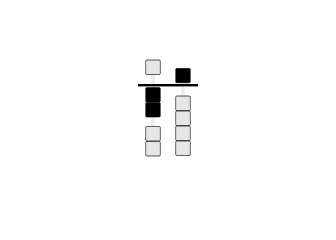
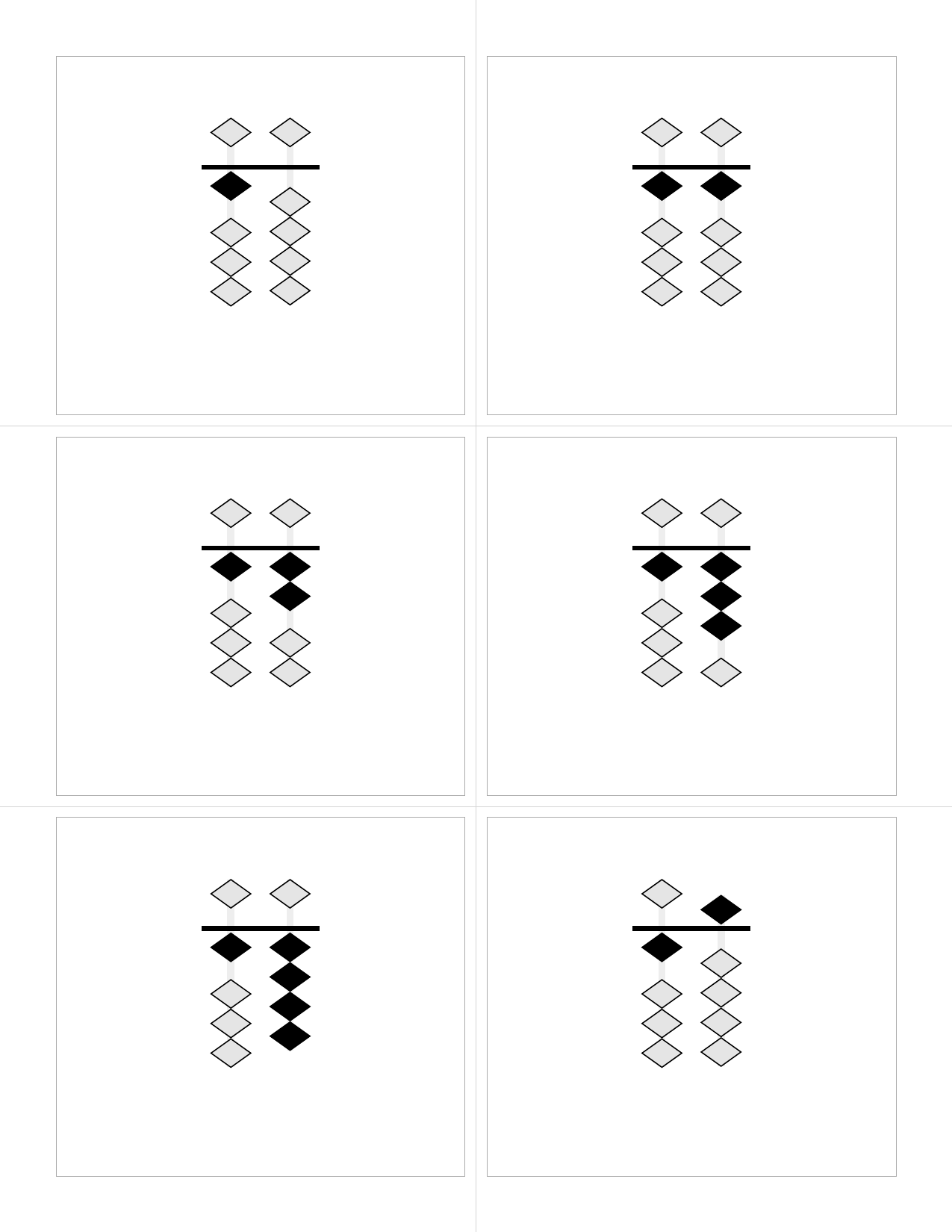
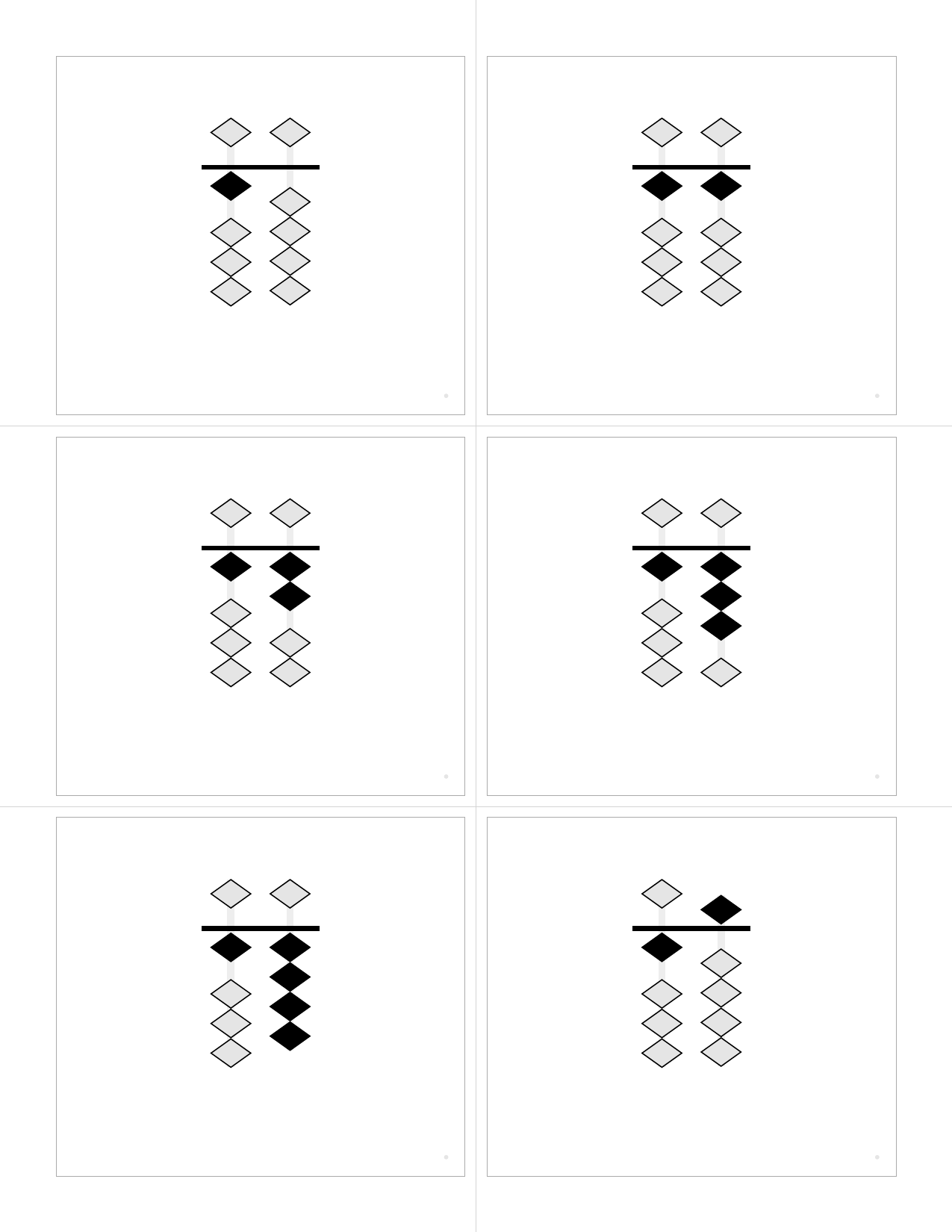
# 🧮 Soroban Flashcard Generator ### _Master the Ancient Art of Mental Math_
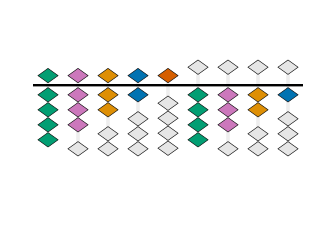
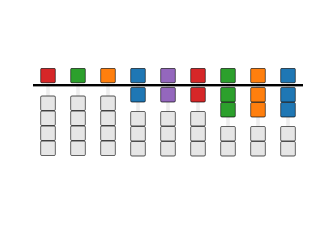
Colorful Soroban showing 987,654,321
Transform numbers into beautiful, interactive learning experiences

**The ultimate toolkit for learning soroban (Japanese abacus) calculation** 🎯 Perfect for students, teachers, and mental math enthusiasts 🚀 From zero to calculation ninja in record time 🎨 Stunning visuals meet ancient wisdom
--- Create **gorgeous flashcards**, **interactive web games**, and **immersive quizzes** that make learning soroban addictive. Whether you're teaching a classroom or mastering mental math yourself, this generator transforms traditional number learning into a vibrant, engaging adventure. **🔥 What makes this special:** - **Visual perfection**: Crystal-clear soroban representations with authentic bead positioning - **Game-changing interactivity**: Memory challenges, sorting games, and smart input systems - **Universal compatibility**: Generate PDFs, web apps, PNGs, SVGs - whatever you need - **Colorblind-friendly**: Thoughtfully designed palettes ensure everyone can learn - **Instant deployment**: One command creates complete learning environments ## 🎨 Visual Gallery
### Experience the Beauty of Mathematical Precision
Nature palette soroban
🌿 Nature Palette
Earth tones for focused learning
Colorblind-friendly soroban
👁️ Universal Access
Colorblind-friendly brilliance
Mnemonic color soroban
🧠 Memory Master
Colors that stick in your mind
_Each bead precisely positioned, every color carefully chosen, all interactions thoughtfully designed._
--- ## Examples
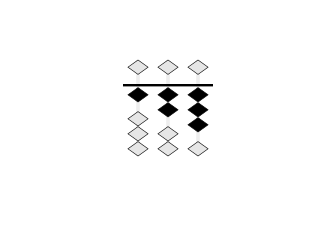
Soroban showing 123
Soroban (Front)
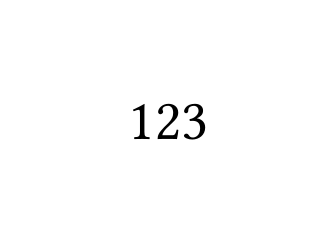
Numeral 123
Numeral (Back)
Place-value colored 456
Place-Value Colors
Colored numeral 456
Colored Numerals
### Bead Shapes
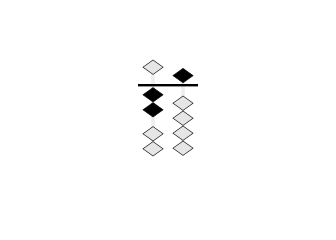
Diamond beads
Diamond (Realistic)
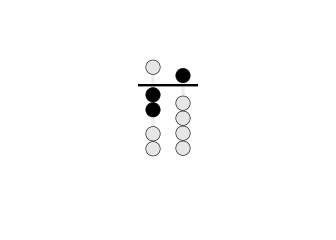
Circle beads
Circle (Traditional)
Square beads
Square
### Layouts and Options
6 cards per page
6 Cards Per Page
12 cards per page
12 Cards Per Page
Counting by 5s
Skip Counting by 5s
Hidden inactive beads
Hidden Inactive Beads
### Printing Features
Cutting guides
Cutting Guides
Full-page guides for accurate card separation
Cutting and registration marks
With Registration Marks
Alignment marks for duplex printing verification
## Output Formats ### 📱 Interactive Web Flashcards (`--format web`) Generate self-contained HTML files with advanced interactive features: ```bash # Generate interactive web flashcards python3 src/generate.py --format web --range 0-99 --output flashcards.html # Try the quiz mode python3 src/generate.py --format web --range 0-50 --shuffle ``` **Web Features:** - **🃏 Digital Flashcards**: Hover to reveal numbers, click to flip cards - **🧠 Timed Quiz Mode**: Configurable display times (0.5-10 seconds), multiple card counts (5, 10, 15, 25, All) - **📊 Smart Scoring**: Fair scoring algorithm, progress tracking, detailed results - **🎯 Sorting Challenge**: Drag-and-drop number sorting with gap-filling logic - **🎮 Matching Pairs**: Memory game matching abacus patterns with numerals - Single & two-player modes with competitive scoring - Multiple grid sizes (3×4, 4×4, 4×6, 5×6) for different skill levels - Turn-based timers and player indicators for multiplayer games - Efficiency-based medal system (Gold/Silver/Bronze achievements) - **📱 Responsive Design**: Works on desktop, tablet, and mobile - **🖨️ PDF Integration**: Automatically suggests high-quality PDF format when printing is attempted - **♿ Accessible**: Keyboard navigation, semantic HTML, ARIA labels - **🎨 Full Customization**: All color schemes, bead shapes, and display options supported ### 📄 Vector PDF (`--format pdf`) High-quality vector PDFs optimized for duplex printing: ```bash # Standard PDF with cut marks python3 src/generate.py --format pdf --range 0-99 --cut-marks --registration ``` **PDF Features:** - Pure vector graphics for crisp output at any scale - Duplex printing alignment with registration marks - Cutting guides for precise card separation - Embedded fonts ensure consistent output ### 🖼️ PNG/SVG Images (`--format png`, `--format svg`) Individual card images for digital use or custom layouts: ```bash # Generate PNG cards at high resolution python3 src/generate.py --format png --range 1-10 --dpi 300 --transparent # Generate SVG cards for web use python3 src/generate.py --format svg --range 0-99 --separate ``` **Image Features:** - High-resolution PNG (configurable DPI) - Scalable SVG with embedded CSS - Transparent backgrounds supported - Separate front/back organization ## Features ### 🎓 Learning & Teaching Tools - **🧠 Interactive Quiz Mode**: Timed flashcard quizzes with configurable display times and scoring - **🎯 Sorting Challenges**: Drag-and-drop number sorting games with intelligent gap-filling - **🎮 Matching Pairs Game**: Memory challenges matching soroban patterns with numerals - **Single Player**: Focus mode with efficiency scoring and medal achievements - **Two Player**: Competitive multiplayer with turn timers and player tracking - **Adaptive Difficulty**: 4 grid sizes (6-30 pairs) scaling with skill level - **Smart Validation**: Prevents invalid moves, guides learning progression - **📊 Progress Tracking**: Real-time feedback, scoring, and performance analytics - **📱 Multi-Device Support**: Responsive design works on desktop, tablet, and mobile ### 🎨 Visual Customization - **🎯 Pure vector graphics** - Crisp output at any scale, all formats - **🎨 Color schemes** - Educational colors for place-value, heaven-earth, alternating - **🌈 Colored numerals** - Match numeral colors to bead colors for reinforcement - **🔷 Customizable beads** - Diamond (realistic), circle, or square shapes - **🔀 Minimalist mode** - Hide inactive beads for cleaner displays ### 📋 Flexible Content - **🔢 Flexible ranges** - Any range (0-9999+) or custom lists (1,2,5,10,20,50,100) - **📈 Skip counting** - Count by 2s, 5s, 10s, or any increment - **🎲 Shuffling** - Randomize with optional seeds for reproducible builds - **📊 Smart scaling** - Automatic column management and font sizing ### 🖨️ Print & Production - **📏 Configurable layouts** - 1 to 30+ cards per page with automatic scaling - **🖨️ Duplex printing ready** - Automatic front/back alignment for double-sided printing - **✂️ Cutting guides** - Full-page guides and registration marks for accurate separation - **🔤 Embedded fonts** - Bundled DejaVu Sans for consistent cross-platform output ### 🔧 Integration & Formats - **📱 Web HTML** - Self-contained interactive flashcards with quiz modes - **📄 Vector PDF** - High-quality print-ready documents - **🖼️ PNG/SVG** - Individual card images for digital use - **📦 Node.js/TypeScript** - Clean API for web applications - **🌐 REST API** - FastAPI server for web services - **⚙️ CLI Interface** - Powerful command-line tool with extensive options ## Quick Start ### Prerequisites - macOS (tested on latest versions) - Python 3 (included with macOS) - Typst (PDF generation engine) - qpdf (optional, for linearization) ### Installation ```bash # Install dependencies make install # Or manually: brew install typst qpdf pip3 install pyyaml ``` ### Generate Flashcards ```bash # Generate default set (0-9) make # Generate from config file python3 src/generate.py --config config/0-99.yaml # Custom range python3 src/generate.py --range 0-99 # Custom list of numbers python3 src/generate.py --range "1,2,5,10,20,50,100" # With shuffle python3 src/generate.py --range 0-99 --shuffle --seed 42 ``` ## 📚 Component Documentation Explore our comprehensive component documentation and interactive examples:
### 🎨 Storybook Documentation
🌐 Web Application
Complete web app components
Games • Tutorials • UI Elements
🧮 Abacus React Component
Interactive abacus library
Props • Stories • Examples
_Browse interactive demos, component APIs, and implementation examples_
## 🎮 Interactive Learning Games The web format includes three immersive learning experiences designed to make soroban mastery engaging and fun: ### 🧠 Memory Quiz Challenge Test your number recognition skills with timed flashcard quizzes: - **Adaptive Timing**: 0.5-10 second display windows - **Flexible Difficulty**: 5, 10, 15, 25 cards or full deck - **Smart Scoring**: Accounts for difficulty and accuracy - **Progress Tracking**: Real-time feedback and performance analytics ### 🎯 Sorting Master Develop number sense through drag-and-drop sorting challenges: - **Intelligent Gap-Filling**: Place cards in the correct sequence - **Visual Feedback**: Immediate validation and hints - **Scalable Difficulty**: Choose your challenge level - **Educational Design**: Reinforces number relationships ### 🎮 Matching Pairs Arena Memory game combining visual pattern recognition with numerical understanding: **Single Player Mode:** - 🏆 **Medal System**: Gold (≤1.5× pairs), Silver (≤2× pairs), Bronze (≤3× pairs) - 📏 **Four Grid Sizes**: 3×4 (6 pairs), 4×4 (8 pairs), 4×6 (12 pairs), 5×6 (15 pairs) - ⚡ **Efficiency Scoring**: Rewards optimal play and quick thinking - 🎯 **Smart Validation**: Only allows valid matches (abacus ↔ numeral) **Two Player Mode:** - 👥 **Competitive Multiplayer**: Turn-based gameplay with score tracking - ⏱️ **Turn Timers**: Optional 15s/30s/60s time limits with visual countdown - 🏆 **Player Indicators**: Color-coded badges show who found each match - 🚀 **First Move Grace**: Timer waits for first card flip to begin counting - 🎨 **Visual Clarity**: De-emphasized matched cards guide continued play **Technical Features:** - 📱 **Responsive Design**: Scales perfectly on all devices without scrolling - 🔄 **One-Click Start**: Integrated mode and grid selection - 🎨 **Kid-Friendly UX**: Clear visual feedback prevents confusion - ♿ **Accessible**: Keyboard navigation and semantic HTML ## Configuration ### Using Configuration Files Create a YAML or JSON file with your preferences: ```yaml range: "0-99" cards_per_page: 6 paper_size: "us-letter" orientation: "portrait" margins: top: "0.5in" bottom: "0.5in" left: "0.5in" right: "0.5in" gutter: "5mm" show_cut_marks: true show_registration: true font_family: "DejaVu Sans" font_size: "48pt" columns: auto show_empty_columns: false shuffle: false seed: 42 # For deterministic shuffling ``` ### Command-Line Options ```bash python3 src/generate.py [OPTIONS] Options: --config, -c FILE Configuration file (JSON or YAML) --range, -r RANGE Number range (e.g., "0-99") or list (e.g., "1,2,5") --step, -s N Step/increment for ranges (e.g., 2 for even numbers) --cards-per-page N Cards per page (default: 6, supports 1-30+) --paper-size SIZE Paper size (default: us-letter) --orientation ORIENT Page orientation (portrait/landscape) --margins T,R,B,L Margins (e.g., "0.5in,0.5in,0.5in,0.5in") --gutter SIZE Space between cards (default: 5mm) --shuffle Shuffle the numbers --seed N Random seed for deterministic shuffle --cut-marks Show cut marks --registration Show registration marks for alignment --font-family FONT Font family (default: DejaVu Sans) --font-size SIZE Font size (default: 48pt, auto-scales) --columns N Soroban columns (auto or number) --show-empty-columns Show leading empty columns --hide-inactive-beads Hide inactive beads (show only active) --bead-shape SHAPE Bead shape (diamond/circle/square) --color-scheme SCHEME Color scheme (monochrome/place-value/heaven-earth/alternating) --colored-numerals Color numerals to match bead colors --scale-factor N Manual scale adjustment (0.1-1.0, default: 0.9) --output, -o FILE Output PDF path (default: out/flashcards.pdf) --linearize Create linearized PDF (default: true) ``` ## Soroban Representation The soroban is rendered with: - **1 heaven bead** (worth 5) per column - **4 earth beads** (worth 1 each) per column - **Active beads** shown in black, moved toward the reckoning bar - **Inactive beads** shown in light gray, away from the bar - **Columns** represent place values (ones, tens, hundreds, etc.) ### Column Display Options - `columns: auto` - Shows minimal columns needed - `columns: 3` - Always shows 3 columns (e.g., for 0-999) - `show_empty_columns: true` - Shows leading zeros - `show_empty_columns: false` - Suppresses leading zeros ## Print Settings ### For Best Results 1. **Paper**: US Letter (8.5" × 11") or A4 2. **Margins**: Default 0.5" works with most printers 3. **Duplex**: Long-edge binding, automatic duplex 4. **Cut marks**: Enable with `--cut-marks` for easier cutting 5. **Registration**: Enable with `--registration` for alignment verification ### Duplex Printing The PDFs are specifically formatted for double-sided printing: - **Odd pages (1, 3, 5...)**: Soroban bead diagrams (front of cards) - **Even pages (2, 4, 6...)**: Arabic numerals (back of cards) - Pages are properly ordered for **long-edge binding** (standard duplex) - Back sides are horizontally mirrored to align correctly when flipped To print double-sided: 1. Open the PDF in your viewer 2. Select Print → Two-Sided → Long-Edge Binding 3. The printer will automatically place numerals on the back of each soroban diagram ### Sample Configurations - `config/default.yaml` - Basic 0-9 set - `config/0-99.yaml` - Two-digit numbers with cut marks - `config/3-column-fixed.yaml` - Three-digit numbers, fixed width - `config/minimal-beads.yaml` - Hide inactive beads for clarity - `config/circle-beads.yaml` - Traditional circular beads - `config/place-value-colors.yaml` - Place value color coding - `config/colored-numerals.yaml` - Colored numerals matching beads - `config/count-by-5s.yaml` - Skip counting by 5s ## Project Structure ``` soroban-abacus-flashcards/ ├── src/ │ ├── generate.py # Main CLI tool (all formats) │ ├── web_generator.py # Interactive web flashcards with quiz modes │ ├── bridge.py # Node.js integration bridge │ ├── api.py # FastAPI REST server │ └── generate_examples.py # Example generation utilities ├── templates/ │ └── flashcards.typ # Typst template with soroban rendering ├── config/ # Preset configurations │ ├── default.yaml # Basic 0-9 set │ ├── 0-99.yaml # Two-digit numbers with cut marks │ ├── place-value-colors.yaml # Educational color coding │ ├── colored-numerals.yaml # Matching numeral colors │ ├── minimal-beads.yaml # Hide inactive beads │ ├── circle-beads.yaml # Traditional circular beads │ ├── count-by-5s.yaml # Skip counting by 5s │ └── 3-column-fixed.yaml # Fixed-width three-digit display ├── tests/ │ ├── test_generation.py # Core generation tests │ ├── test_web_generation.py # Web format tests │ ├── test_quiz_functionality.py # Interactive quiz tests │ ├── test_config.py # Configuration parsing tests │ └── test_visual.py # Visual output validation ├── client/ # Integration libraries │ ├── node/ # Node.js/TypeScript wrapper │ ├── typescript/ # Browser TypeScript client │ └── browser/ # Browser-based implementation ├── fonts/ │ ├── DejaVuSans.ttf # Bundled font │ └── DejaVuSans-Bold.ttf # Bold variant ├── docs/ │ └── images/ # Example images for README ├── out/ # Generated outputs (created on first run) │ ├── *.pdf # PDF flashcards │ ├── *.html # Interactive web flashcards │ ├── png/ # PNG card images │ └── svg/ # SVG card images ├── Makefile # Build automation └── README.md # This file ``` ## Design Notes ### Soroban Number Mapping Numbers are decomposed into heaven (5s) and earth (1s) beads: - **7** = 1 heaven bead (5) + 2 earth beads (2×1) - **23** = Tens: 4 earth beads (4×1), Ones: 3 earth beads (3×1) - **156** = Hundreds: 1 heaven + 0 earth, Tens: 1 heaven + 0 earth, Ones: 1 heaven + 1 earth ### Duplex Alignment - Front cards are laid out left-to-right, top-to-bottom - Back cards are mirrored horizontally for long-edge binding - Registration marks (optional) help verify alignment - Safe margins ensure content isn't lost when cutting ### Vector Graphics All elements are rendered as vectors using Typst's drawing primitives: - Beads are vector circles with stroke - Rods and reckoning bar are vector rectangles - No rasterization ensures crisp output at any scale ## Troubleshooting ### "typst command not found" Run `make install` or `brew install typst` ### "qpdf command not found" PDF will generate but won't be linearized. Install with `brew install qpdf` ### Fonts not embedding Ensure the `fonts/` directory contains the DejaVu TTF files ### Misaligned duplex printing - Check printer duplex settings (should be long-edge) - Enable registration marks with `--registration` - Verify margins match your printer's capabilities ## Examples ### Quick Start Examples ```bash # Generate interactive web flashcards (try the quiz!) python3 src/generate.py --format web --range 0-20 --shuffle # Generate print-ready PDF with cutting guides python3 src/generate.py --format pdf --range 0-99 --cut-marks --registration # Generate high-res PNG cards for digital use python3 src/generate.py --format png --range 1-10 --dpi 300 --transparent # Generate place-value colored cards for teaching python3 src/generate.py --format web --range 0-50 \ --color-scheme place-value --colored-numerals # Generate minimal-style cards (hide inactive beads) python3 src/generate.py --format web --range 0-25 --hide-inactive-beads # Generate skip-counting practice (count by 5s) python3 src/generate.py --format web --range 0-100 --step 5 ``` ### Development & Testing ```bash # Generate samples make samples # Quick test make test # Clean all outputs make clean # Show help make help ``` ## Node.js/TypeScript Integration ### Installation ```bash cd client/node npm install ``` ### Usage Example ```typescript import { SorobanGenerator } from "./soroban-generator-bridge"; async function generateFlashcards() { const generator = new SorobanGenerator(); // Generate with clean function interface - no CLI args! const result = await generator.generate({ range: "0-99", cardsPerPage: 6, colorScheme: "place-value", coloredNumerals: true, showCutMarks: true, }); // Get PDF as Buffer const pdfBuffer = Buffer.from(result.pdf, "base64"); // Save to file or send to client await fs.writeFile("flashcards.pdf", pdfBuffer); } ``` ### Express.js Integration ```typescript import express from "express"; import { SorobanGenerator } from "./soroban-generator-bridge"; const app = express(); const generator = new SorobanGenerator(); app.post("/api/flashcards", async (req, res) => { // Direct function call - no shell commands! const result = await generator.generate(req.body); const pdfBuffer = Buffer.from(result.pdf, "base64"); res.contentType("application/pdf"); res.send(pdfBuffer); }); ``` ### API Reference The `SorobanGenerator` class provides: - `generate(config)` - Returns `{ pdf: string, count: number, numbers: number[] }` - `generateBuffer(config)` - Returns PDF as Node.js Buffer - `initialize()` - Start persistent Python process for better performance - `close()` - Clean up Python process All methods use clean TypeScript interfaces with proper types - no shell command building required! ## REST API Server For web services and remote generation: ### Start the API Server ```bash # Install FastAPI dependencies pip3 install fastapi uvicorn # Start the development server python3 src/api.py # or uvicorn src.api:app --reload --host 0.0.0.0 --port 8000 ``` ### API Endpoints ```bash # Generate flashcards via POST curl -X POST "http://localhost:8000/generate" \ -H "Content-Type: application/json" \ -d '{ "range": "0-99", "format": "web", "color_scheme": "place-value", "cards_per_page": 6 }' # Health check curl http://localhost:8000/health # OpenAPI documentation available at: # http://localhost:8000/docs (Swagger UI) # http://localhost:8000/redoc (ReDoc) ``` ### API Features - **🔄 All formats supported**: PDF, PNG, SVG, and interactive web HTML - **📊 JSON responses**: Base64-encoded files with metadata - **🛡️ CORS enabled**: Ready for web app integration - **📚 Auto documentation**: OpenAPI/Swagger specs included - **⚡ High performance**: Optimized for production workloads ## Development ### 📦 NPM Package Publishing The `@soroban/abacus-react` package is automatically published to **both npm and GitHub Packages** using semantic versioning. To trigger a release: ```bash # For new features (minor version bump) git commit -m "feat(abacus-react): add new bead animation system" # For bug fixes (patch version bump) git commit -m "fix(abacus-react): resolve gesture detection issue" # For breaking changes (major version bump) git commit -m "feat(abacus-react)!: change callback signature" ``` **Important**: Use the `(abacus-react)` scope in commit messages to trigger package releases. Regular commits without this scope only affect the monorepo versioning. 📖 **Full details**: See [CONTRIBUTING.md](./CONTRIBUTING.md#package-specific-publishing) for complete workflow documentation. ### Updating Example Images If you make changes that affect the visual output, please update the example images: ```bash # Regenerate all example images make examples # Or use the update script ./scripts/update-examples.sh # Verify examples are up to date (CI will also check this) make verify-examples ``` The CI pipeline will automatically verify that example images are up to date with the code. ### Running Tests The project includes comprehensive test coverage for all functionality: ```bash # Run all tests python3 -m pytest tests/ -v # Test specific functionality python3 -m pytest tests/test_quiz_functionality.py -v # Interactive quiz features python3 -m pytest tests/test_web_generation.py -v # Web format generation python3 -m pytest tests/test_generation.py -v # Core generation logic python3 -m pytest tests/test_config.py -v # Configuration parsing python3 -m pytest tests/test_visual.py -v # Visual output validation # Quick test build make test # Generate all samples make samples # Full CI verification (ensures examples are up to date) make verify-examples ``` ### Test Coverage - **🧠 Quiz Functionality**: Interactive quiz modes, scoring algorithms, progress tracking - **🎯 Sorting Challenges**: Drag-and-drop mechanics, gap-filling logic, user interactions - **🌐 Web Generation**: HTML output, CSS styling, JavaScript functionality - **📄 PDF Generation**: Vector rendering, duplex alignment, cutting guides - **🖼️ Image Output**: PNG/SVG generation, transparency, resolution scaling - **⚙️ Configuration**: YAML/JSON parsing, validation, command-line interface - **🎨 Visual Output**: Color schemes, bead shapes, layout consistency ## License MIT License - see LICENSE file for details. ## This project uses DejaVu Sans font (included), which is released under a free license. ## 📚 Additional Documentation ### Web Application **Location**: [`apps/web/`](./apps/web/) **Documentation**: [`apps/web/README.md`](./apps/web/README.md) The main Next.js web application containing tutorials, practice sessions, arcade games, and worksheet generation. ### Arcade Game System **Location**: [`apps/web/src/arcade-games/`](./apps/web/src/arcade-games/) **Overview**: [`apps/web/src/arcade-games/README.md`](./apps/web/src/arcade-games/README.md) Modular, plugin-based architecture for building multiplayer arcade games with real-time synchronization. **Available Games**: - **[Know Your World](./apps/web/src/arcade-games/know-your-world/README.md)** - Geography quiz with precision controls for tiny regions ([Precision Controls Docs](./apps/web/src/arcade-games/know-your-world/PRECISION_CONTROLS.md)) - Number Guesser - Hot/cold guessing game - Memory Quiz - Pattern matching challenge - Matching Pairs - Memory card game **Key Documentation**: - **[Game SDK](./apps/web/src/arcade-games/README.md)** - How to create new arcade games - **[Precision Controls](./apps/web/src/arcade-games/know-your-world/PRECISION_CONTROLS.md)** - Advanced cursor dampening and super zoom system ### Worksheet Generator **Location**: [`apps/web/src/app/create/worksheets/`](./apps/web/src/app/create/worksheets/) **Overview**: [`apps/web/src/app/create/worksheets/README.md`](./apps/web/src/app/create/worksheets/README.md) Create customizable math worksheets with progressive difficulty, problem space validation, and Typst-powered PDF generation. **Key Documentation**: - **[Problem Generation Architecture](./apps/web/src/app/create/worksheets/PROBLEM_GENERATION_ARCHITECTURE.md)** - Complete technical deep-dive on generation algorithms, strategies, and edge cases - **[User Warning Improvements](./apps/web/src/app/create/worksheets/USER_WARNING_IMPROVEMENTS.md)** - UX enhancement plan for problem space warnings ### Abacus React Component **Package**: `@soroban/abacus-react` **Documentation**: [`packages/abacus-react/README.md`](./packages/abacus-react/README.md) **Storybook**: [Interactive Examples](https://antialias.github.io/soroban-abacus-flashcards/abacus-react/) React component library for rendering interactive and static abacus visualizations. ### Decomposition Display **Location**: [`apps/web/src/components/decomposition/`](./apps/web/src/components/decomposition/) **Documentation**: [`apps/web/src/components/decomposition/README.md`](./apps/web/src/components/decomposition/README.md) Interactive mathematical decomposition visualization showing step-by-step soroban operations. Features hoverable terms with pedagogical explanations, grouped operations, and bidirectional abacus coordination. **Key Features**: - **Interactive Terms** - Hover to see why each operation is performed - **Pedagogical Grouping** - Related operations (e.g., "+10 -3" for adding 7) grouped visually - **Step Tracking** - Integrates with tutorial and practice step progression - **Abacus Coordination** - Bidirectional highlighting between decomposition and abacus ### Daily Practice System **Location**: [`apps/web/docs/DAILY_PRACTICE_SYSTEM.md`](./apps/web/docs/DAILY_PRACTICE_SYSTEM.md) **Entry Point**: `/practice` route in the web app Structured curriculum-based practice system following traditional Japanese soroban teaching methodology. **Key Features**: - **Student Progress Tracking** - Per-skill mastery levels (learning → practicing → mastered) - **Session Planning** - Adaptive problem selection based on student history - **Teacher Controls** - Real-time session health monitoring and mid-session adjustments - **Worksheet Integration** - Generate worksheets based on student's current level ## 🚀 Active Development Projects ### Speed Complement Race Port (In Progress) **Status**: Planning Complete, Ready to Implement **Plan Document**: [`apps/web/COMPLEMENT_RACE_PORT_PLAN.md`](./apps/web/COMPLEMENT_RACE_PORT_PLAN.md) **Source**: `packages/core/src/web_generator.py` (lines 10956-15113) **Target**: `apps/web/src/app/games/complement-race/` A comprehensive port of the sophisticated Speed Complement Race game from standalone HTML to Next.js. Features 3 game modes, 2 AI personalities with 82 unique commentary messages, adaptive difficulty, and multiple visualization systems.